Give every word a place.
Quote the headline, separate the details, and tell the model which line should lead. Always proofread the result before publishing.
A little direction. A lot of possibility.
Posters live or die on their words. Quote your headline, date and details, describe the look, and let MOSS-Image build the composition around them.
Try the layout builderThe studio
 Hand-authored concept
Write a prompt, quote any text you need, and press Generate.
The prompt collection
Five briefs to borrow, change, and make your own. These hand-authored concept studies illustrate the prompts; they are not generated results.
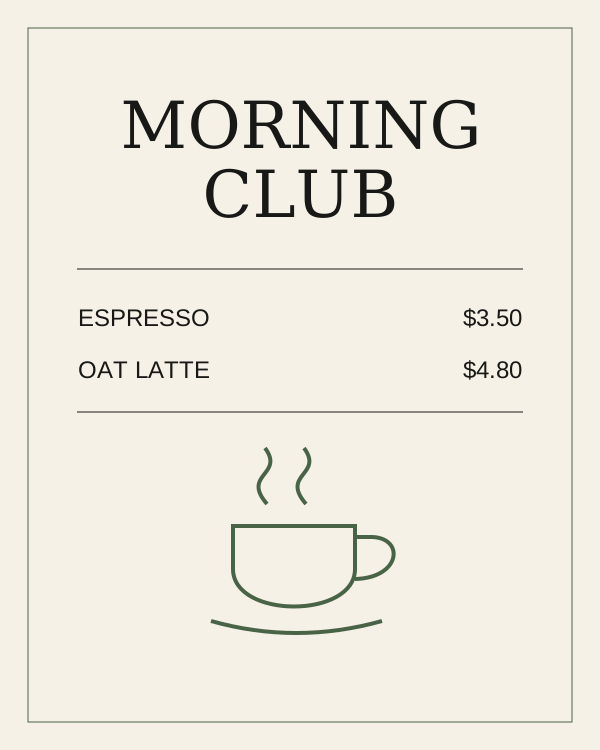
Square café menu, cream paper and black serif lettering. Heading: 'MORNING CLUB'. Two separate rows: 'ESPRESSO $3.50' and 'OAT LATTE $4.80'. Small coffee illustration below.
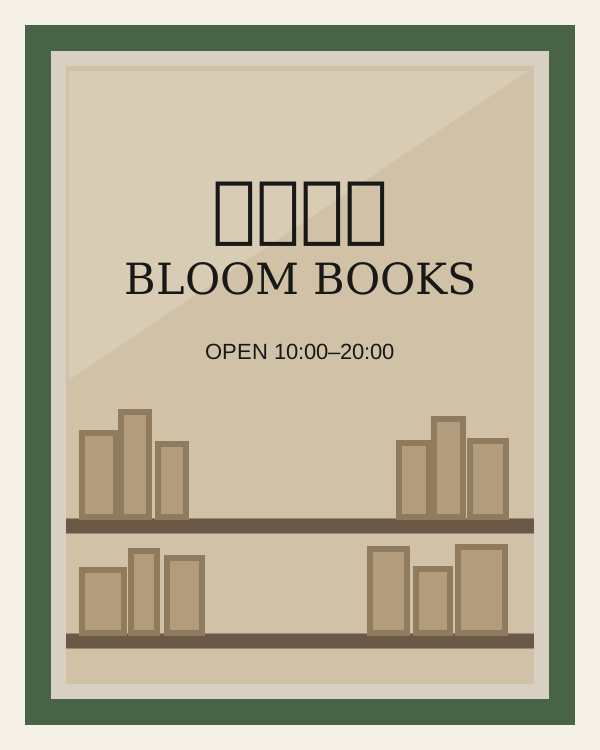
Photograph of a bookstore window. Large Chinese lettering: '花间书店'. Directly below: 'BLOOM BOOKS'. Bottom line: 'OPEN 10:00–20:00'. Clear glass, warm interior, readable signage.
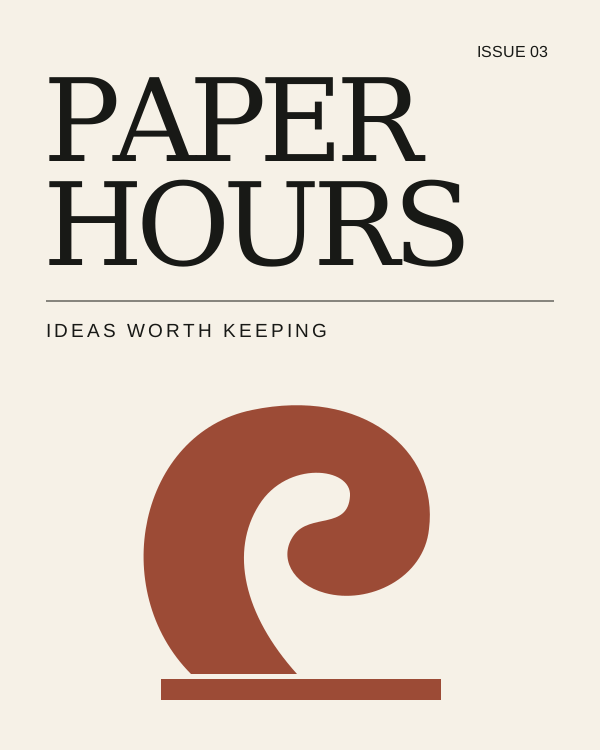
Editorial magazine cover, cream background, oversized black type. Masthead: 'PAPER HOURS'. Upper-right label: 'ISSUE 03'. Subtitle: 'IDEAS WORTH KEEPING'. Abstract terracotta sculpture beneath.
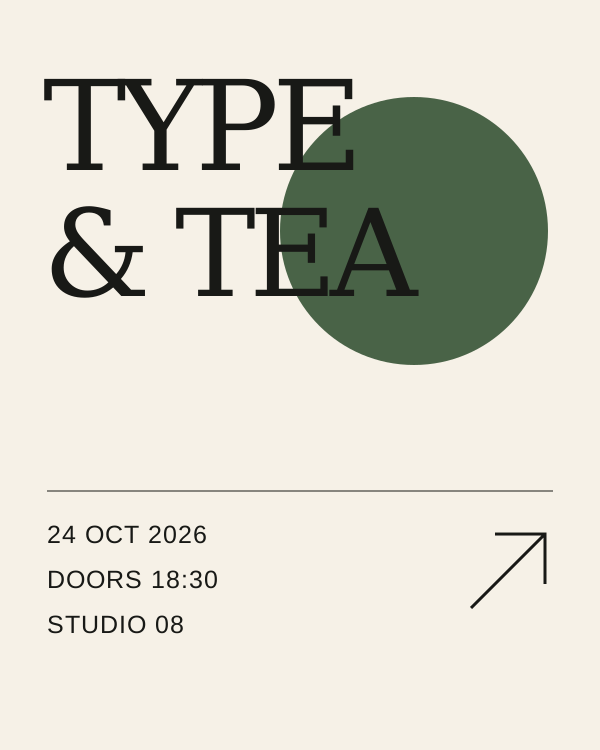
Portrait exhibition poster, cream and black with one moss-green circle. Headline: 'TYPE & TEA'. Separate lines below: '24 OCT 2026', 'DOORS 18:30', 'STUDIO 08'. Strong hierarchy.
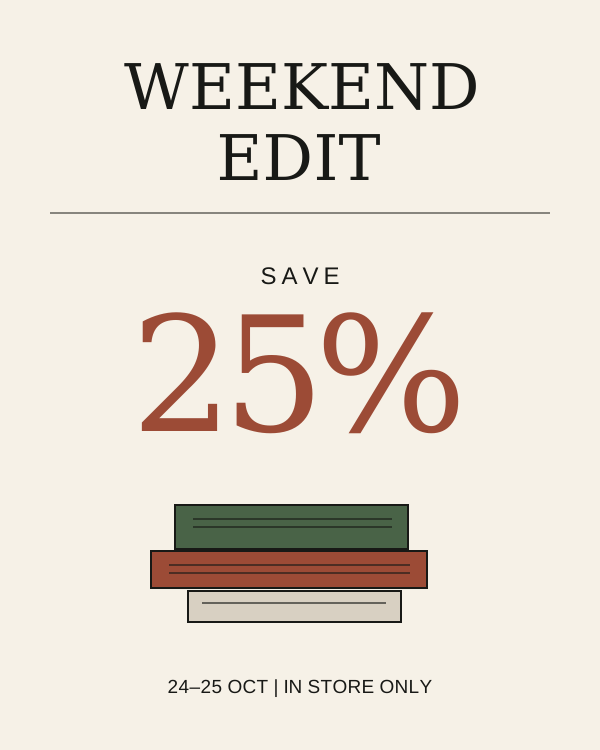
Bookshop sale poster. Exact headline: 'WEEKEND EDIT'. Large offer: 'SAVE 25%'. Footer: '24–25 OCT | IN STORE ONLY'. Small illustrated stack of books, terracotta accent.
Render quoted text verbatim; preserve capitalization, punctuation and line breaks; add no other text.
Made for words and images
A menu needs its prices. A poster needs its date. Start with what matters, then describe the feeling around it.
Explore poster generationQuote the headline, separate the details, and tell the model which line should lead. Always proofread the result before publishing.
Place text and artwork in separate boxes, then turn your sketch into a layout prompt. Boxes guide the model; they do not guarantee exact placement.
Describe the paper, palette, hierarchy, subject, and spacing together. Keep each instruction consistent so the model has one clear design to follow.
Room for your next idea
Start with free credits. Add a monthly plan or a credit pack when you need more room.
A few first drafts, on us.
For a regular creative practice.
More space to explore and iterate.
1 credit per image. Failed generations are refunded. Prices in USD. Paid checkout opens when payments are configured.
A few useful answers
Quote each line exactly as it should appear, for example '24 OCT 2026' and 'SAVE 25%'. Ask the model to preserve capitalization, punctuation and line breaks. Keep each quoted line short, and always proofread the result.
Partly. Putting lines on separate rows, or naming their position (headline at the top, footer at the bottom), helps. For tighter control, use the layout builder to set boxes. Positions guide the model but are not guaranteed, because layout prompting is experimental.
Generate again, shorten the line, or split it into separate quoted lines. Removing extra decorative requirements often helps too. If the text must be perfect, fix it in a design tool before publishing.
Journal
Practical notes on writing the words and arranging the page.
A practical way to brief a menu, sign or poster: separate the words from the styling, then proofread the result.
Read the guide ↗Oct 19, 2026Think in text and object boxes. A short introduction to centered coordinates and the studio’s visual layout builder.
Read the guide ↗Make something worth looking at
Start with a headline. Give it a little space. See where it takes you.