3 Black Friday poster ideas for clear offers in 2026
Explore three Black Friday poster ideas with readable offer terms, exact prompts and real retries for invented labels, lost spaces and background text.
Black Friday poster ideas work best when the offer and its limits can be read together. For Friday, November 27, 2026, these three examples cover a percentage discount, a tea bundle and selected books. Each gives the qualifying products their own wording. Keep the qualifying item, the amount saved and the promotion window close enough to read together, even when the poster includes a product illustration.
TL;DR
- Put what qualifies beside the offer, at a readable size.
- For a bundle, say which item is free.
- For selected products, explain how customers identify them.
- Inspect labels and background cards for invented text.
How do you keep a percentage offer attached to its scope?
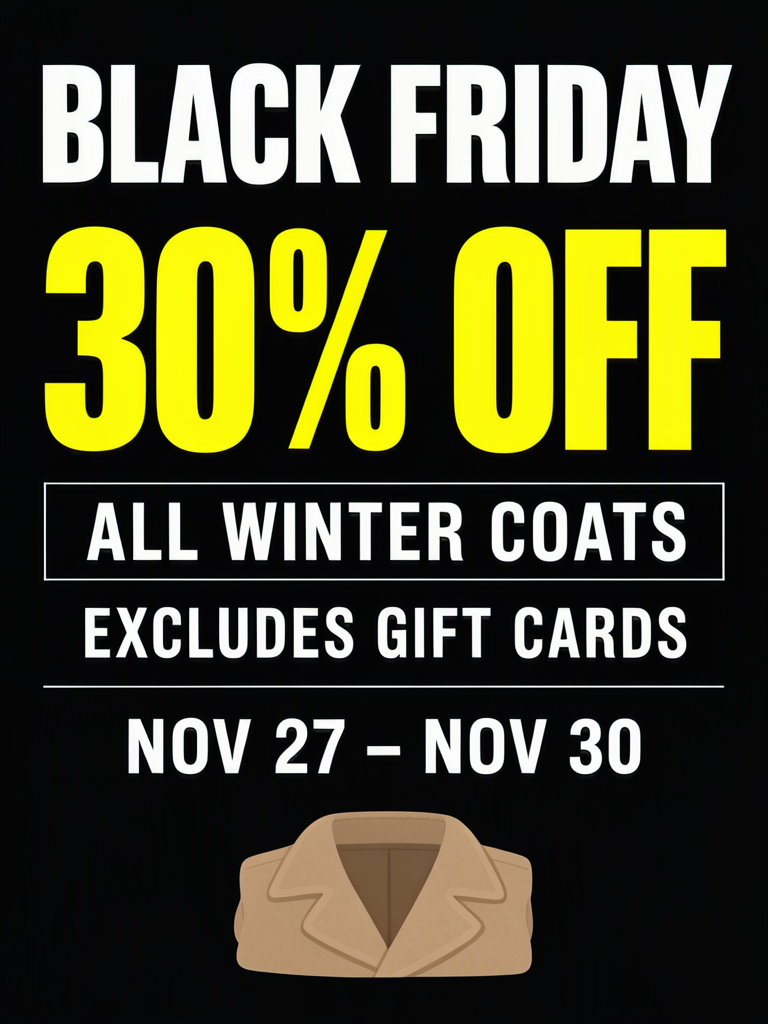
Put the product scope immediately after the discount, then give exclusions their own line. The first poster says “30% OFF,” “ALL WINTER COATS” and “EXCLUDES GIFT CARDS,” followed by November 27–30.
The shops, offers and the November 27–30 promotion window are made up for these examples.

Make one like this Open this image on MOSS Image
Made in the Layout Builder with these boxes:
| Box text / object | Job | Approximate position |
|---|---|---|
| BLACK FRIDAY | Occasion | Top |
| 30% OFF | Discount | Upper middle |
| ALL WINTER COATS | Eligible products | Middle |
| EXCLUDES GIFT CARDS | Exclusion | Below scope |
| NOV 27 – NOV 30 | Dates | Lower middle |
| (illustration) | Coat illustration | Bottom |
All five lines came out right on our first try. The qualification is in an outlined box, and the exclusion is full size rather than fine print, so a shopper reads offer, scope and exclusion in one pass.
Keep the conditions that define your actual promotion. Include the gift-card line if gift cards are excluded, and replace it with the relevant exclusion if your offer has a different scope.
What does a buy-two-get-one poster need to explain?
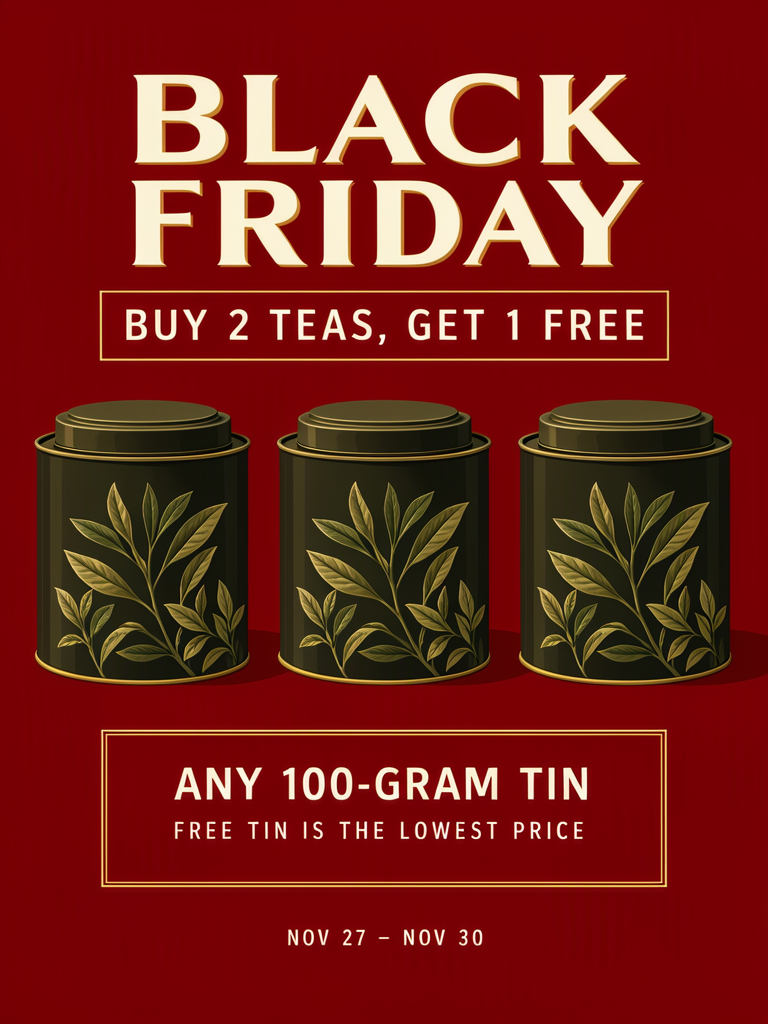
It needs to name the eligible item and identify which of the three is free. This tea example specifies 100-gram tins and says that the free tin is the lowest-priced one.
Make one like this Open this image on MOSS Image
Made in prompt mode with this exact prompt:
Black Friday bundle offer poster for a small tea shop, flat illustration on deep red, three plain unlabelled tea tins in a row with no writing or labels on them, cream and gold type, strong hierarchy, no tagline under the offer. The offer and its conditions sit in separate boxes. Text, render exactly and add nothing else: headline 'BLACK FRIDAY'; offer 'BUY 2 TEAS, GET 1 FREE'; box 'ANY 100-GRAM TIN'; small line 'FREE TIN IS THE LOWEST PRICE'; footer 'NOV 27 – NOV 30'.
We generated the shared image on our third try. On the first, the main offer text was right, but a garbled tagline appeared underneath it and the tins acquired invented labels. The next prompt requested plain unlabelled tins and no tagline. Those extras disappeared, but “ANY 100 G TIN” became “ANY 100 GTIN”: the space between the unit and the noun was lost.
We rewrote that line as “ANY 100-GRAM TIN.” All five required lines were then correct. If your unit merges into another word, try spelling out the unit in a short phrase and compare the entire line again. Also inspect the objects that might invite extra lettering, even when you did not ask for any.
How do you show that only some products are discounted?
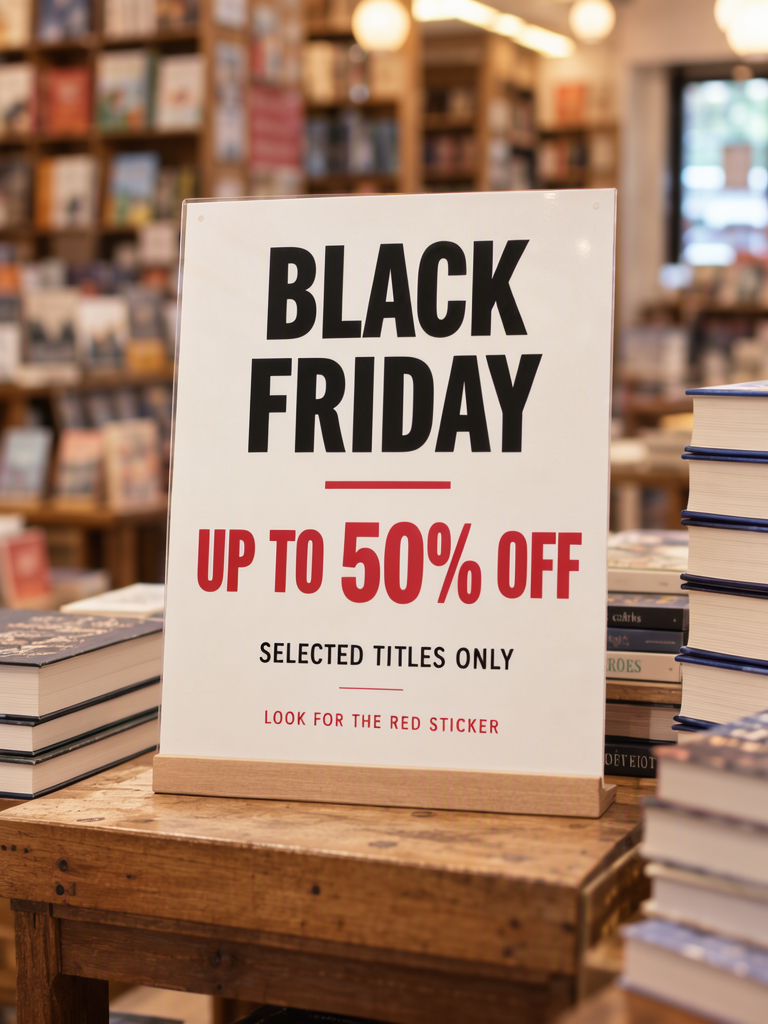
Keep “selected” attached to the offer and provide a way to find the qualifying items. The bookshop sign combines “UP TO 50% OFF” with “SELECTED TITLES ONLY” and “LOOK FOR THE RED STICKER.” It does not say every book is half price.
Make one like this Open this image on MOSS Image
Made in prompt mode with this exact prompt:
Photograph of a printed sale sign on a wooden display table in a small bookshop, soft warm light, stacked books around it, sign in sharp focus, background shelves softly blurred, no other signs or cards anywhere. White card with black and red type. Text, render exactly and add nothing else: headline 'BLACK FRIDAY'; offer 'UP TO 50% OFF'; line 'SELECTED TITLES ONLY'; small line 'LOOK FOR THE RED STICKER'.
The first attempt had correct sign text but invented wording on another small card in the background. The second prompt added softly blurred background shelves and “no other signs or cards.” The main sign was correct in the shared result. Partial letters remain on some out-of-focus book spines; those are not part of the sales message.
If you adopt the red-sticker instruction, actually mark the eligible products before displaying your poster. Keep “UP TO” visible when you check the result: removing it changes what the offer says.
Which structure fits the offer you have approved?
Choose based on what the customer must understand to qualify, not on which illustration looks more festive. Write the rule in ordinary language before deciding which words deserve the largest box.
| Offer type | Main claim | Information that must stay nearby |
|---|---|---|
| Percentage discount | 30% off | Eligible product group and applicable exclusions |
| Bundle | Buy two, get one free | Tin size and which item is free |
| Selected items | Up to 50% off | Selected-only wording and identification method |
The first two samples show November 27–30; the bookshop sign has no date range. Add the full promotion window to your own sign when customers need it, and keep it close to the qualifying products.
What went wrong, and what must you check before printing?
Our tea retries added secondary lettering and lost a unit space, while the bookshop retry removed an extra card but retained partial letters on blurred book spines.
Check the main offer, every qualification and every object with a label-like surface. Then examine a print proof at the intended size. Read the exclusion without leaning closer than you would for the offer. If it is too small, give it more space and regenerate. Publish after the percentage and every essential condition agree with your final copy.
How can you build a poster around your offer terms?
- Choose the offer structure in the table above and use a 3:4 portrait canvas, as we did for all three examples. Prepare the discount, qualifying products and conditions as separate lines.
- For a percentage offer, use the Layout Builder. Draw boxes for the headline, discount, product scope, exclusion and dates, with the coat illustration below.
- For a bundle or selected-title sign, use the AI poster generator. Quote the full qualification, such as “ANY 100-GRAM TIN” or “SELECTED TITLES ONLY,” and keep the free-item rule or identification instruction on its own line.
- Check the qualification immediately after the main offer, then scan the objects and background. The exact-text guide explains how to keep these sales lines separate from the scene description.
MOSS Image Studio is an independent hosted studio for the open MOSS-Image model. Not affiliated with OpenMOSS.
FAQ
Does “30% off” mean the customer pays 30%?
No. It means a reduction of 30%, leaving 70% of the original price. In Chinese retail wording, that corresponds to 七折. Check the meaning when adapting a bilingual offer.
Should a Black Friday poster include exclusions?
Include exclusions that affect whether a customer can use the offer. Keep them beside the product scope and large enough to read with the main discount.
How do I explain “up to 50% off”?
Keep “UP TO” attached to the percentage, identify the selected products and tell customers how to find them. It describes a maximum discount, not the discount on every item.
Sources
- 2026 occasion dates and weekdays — Checked on 2026-11-03.
Try it with your own words
Open the Studio, write a brief or lay out boxes on the canvas, and generate with MOSS-Image.