How to write Black Friday opening-hours posters for 2026
Make Black Friday opening hours easy to read with a large time box, clear AM and PM labels, our two examples and a practical print check.
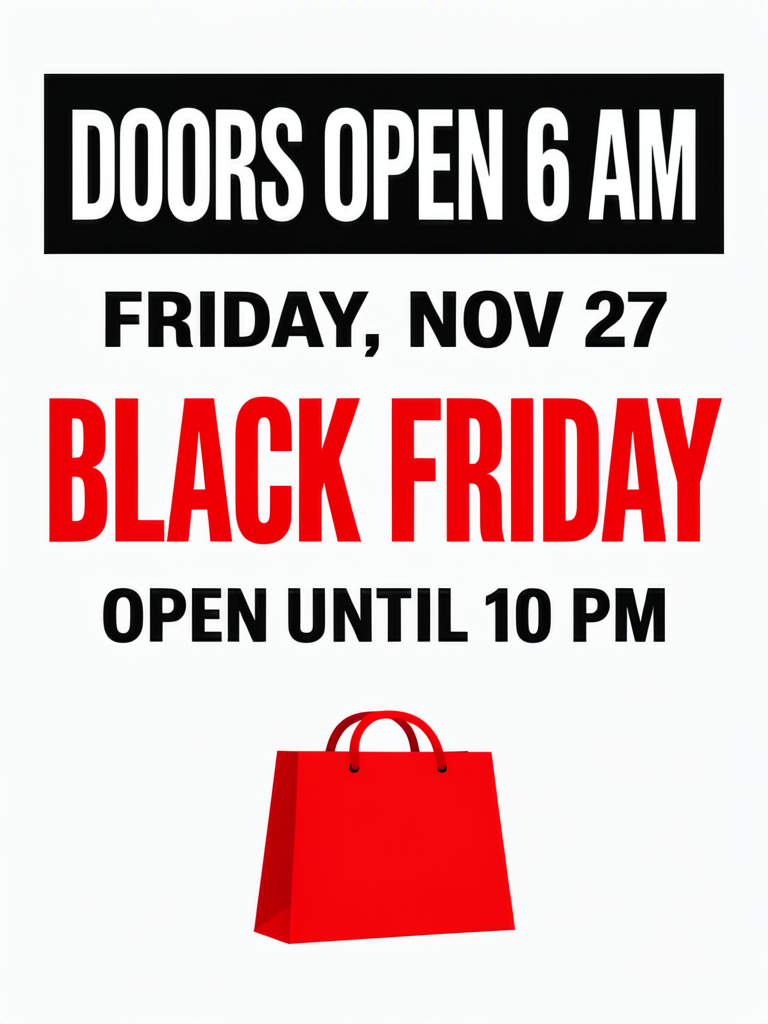
Black Friday opening-hours posters for 2026 should make the opening time the first thing a shopper reads. Black Friday is Friday, November 27. In these examples, “DOORS OPEN 6 AM” sits above the sales headline, while “OPEN UNTIL 10 PM” remains a separate instruction. The aim is to communicate an early opening without turning the notice into a crowded discount advertisement.
TL;DR
- Make the opening time larger than the event name.
- Keep AM attached to 6 and PM attached to 10.
- Put the date near the opening instruction.
- Confirm special opening hours with the store team.
What deserves the largest type on an hours poster?
The opening time deserves it, because that is the specific information this poster is meant to provide. The sample shop opens at 6 AM and closes at 10 PM on November 27.
Before designing, write the date, opening and closing times on separate lines. Check them with whoever will open the premises. If your normal hours are different, resist adding the entire weekly timetable to this poster. Give the exceptional day a clear notice of its own and keep the regular schedule elsewhere.
The shop and its 6 AM to 10 PM hours are made up for these examples.
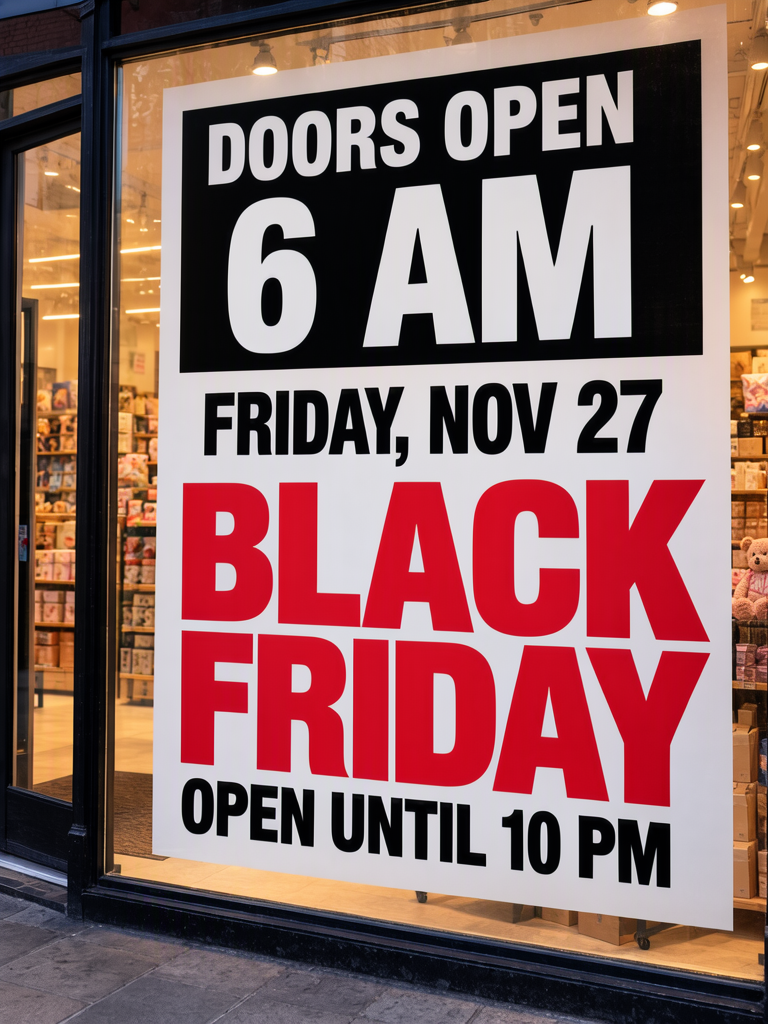
Make one like this Open this image on MOSS Image
Made in prompt mode with this exact prompt:
Photograph of a large printed poster in the front window of a small homeware shop before dawn, warm interior light behind the glass, poster in sharp focus. Bold black and red flat design on white paper. The opening time is the largest element, inside a solid black box at the top. Text, render exactly and add nothing else: boxed line 'DOORS OPEN 6 AM'; line 'FRIDAY, NOV 27'; headline 'BLACK FRIDAY'; line 'OPEN UNTIL 10 PM'.
Our first try got all the text right and made “6 AM” the largest element. We generated the window scene to show how the time can lead the reading order.
When inspecting a version of your own, glance at it before reading carefully. Say the first number you notice. If that is a decorative sale figure you added later, the opening-hours poster has lost its priority. Remove the competing offer or move it to a separate poster.
How do you keep opening and closing times distinct?
Give the opening instruction the top box and leave a separate line for closing. In the layout example, the black time box comes first, the date follows, the red Black Friday heading sits below, and the closing time remains independent.

Make one like this Open this image on MOSS Image
Made in the Layout Builder with these boxes:
| Box text / object | Job | Approximate position |
|---|---|---|
| DOORS OPEN 6 AM | Opening instruction | Top |
| FRIDAY, NOV 27 | Date | Below opening |
| BLACK FRIDAY | Event headline | Middle |
| OPEN UNTIL 10 PM | Closing instruction | Below headline |
| (illustration) | Shopping bag | Bottom |
Our first layout also got the text right, with the time box on top, a red headline underneath and one shopping bag. Both versions gave the opening time priority.
Keep “DOORS OPEN” and “6 AM” together as one instruction. Likewise, keep “OPEN UNTIL” with “10 PM.” If the hours change, replace the full time phrase in your source copy, then compare both time lines in the new result so the old closing hour is not accidentally retained.
How should an overseas shop adapt the wording?
Use the time convention your customers read comfortably, and label the location when the graphic travels beyond the shop. A local window notice and a post forwarded to another country have different context.
| Information | Sample wording | Adaptation to confirm |
|---|---|---|
| Opening | DOORS OPEN 6 AM | Actual local opening time |
| Date | FRIDAY, NOV 27 | Correct date and weekday |
| Closing | OPEN UNTIL 10 PM | Actual local closing time |
| Chinese version | Not present in these images | Write “早上6点” and “晚上10点” only if those hours apply |
For a Chinese-language adaptation, spell out morning and evening or use a consistent 24-hour format. Add a Beijing conversion only when the audience needs it. The important location is where customers will enter the shop, not where the person making the image happens to be.
What should you proofread when both samples worked?
Check the action words and time suffixes alongside the digits. Both examples worked on our first tries. In a new generation, MOSS-Image may omit or merge characters, so read AM and PM as carefully as the hours.
Print a proof and examine the opening box from the intended viewing position. Check that all of “DOORS OPEN 6 AM” remains visible after the paper is mounted. Then verify the closing time separately. Keep any stock or discount message on a separate promotion notice so the opening time stays prominent.
How can you put opening hours ahead of the sale headline?
- Use a 3:4 portrait canvas for either mode, as we did. In the AI poster generator, quote “DOORS OPEN 6 AM” as the opening instruction and “OPEN UNTIL 10 PM” as a separate closing line, replacing the times with yours.
- For a time-first arrangement, draw the top time box in the Layout Builder, followed by the date, Black Friday heading, closing line and shopping-bag area.
- Make the opening box the visual priority. Keep the whole phrase together so “DOORS OPEN” remains attached to its hour; use the exact-text guide when preparing the quoted lines.
- Glance at the result before reading it closely: the opening time should catch your eye first. Then check AM, PM, the date and the closing hour against the same store schedule.
MOSS Image Studio is an independent hosted studio for the open MOSS-Image model. Not affiliated with OpenMOSS.
FAQ
Should the Black Friday headline be bigger than the time?
For this poster's purpose, no. Keep it recognisable but secondary. Our two examples give the opening time priority and still identify the occasion.
Is 6 AM a recommended Black Friday opening time?
It is only sample copy. Choose hours based on your own operation, then replace both the prompt and the layout text before generating.
Can this replace a holiday closure notice?
It answers a different question. A closure sign says when customers cannot visit and when service resumes. This poster announces the hours of the open day; do not assume one communicates the other.
Sources
- 2026 occasion dates and weekdays — Checked on 2026-11-03.
Try it with your own words
Open the Studio, write a brief or lay out boxes on the canvas, and generate with MOSS-Image.