Real Bakery Customer Case: A Best-Seller Poster in MOSS
See how we recreated a bakery best-seller poster in MOSS, with three ranked products, close-up photos, clear price boxes, and sample figures to replace.
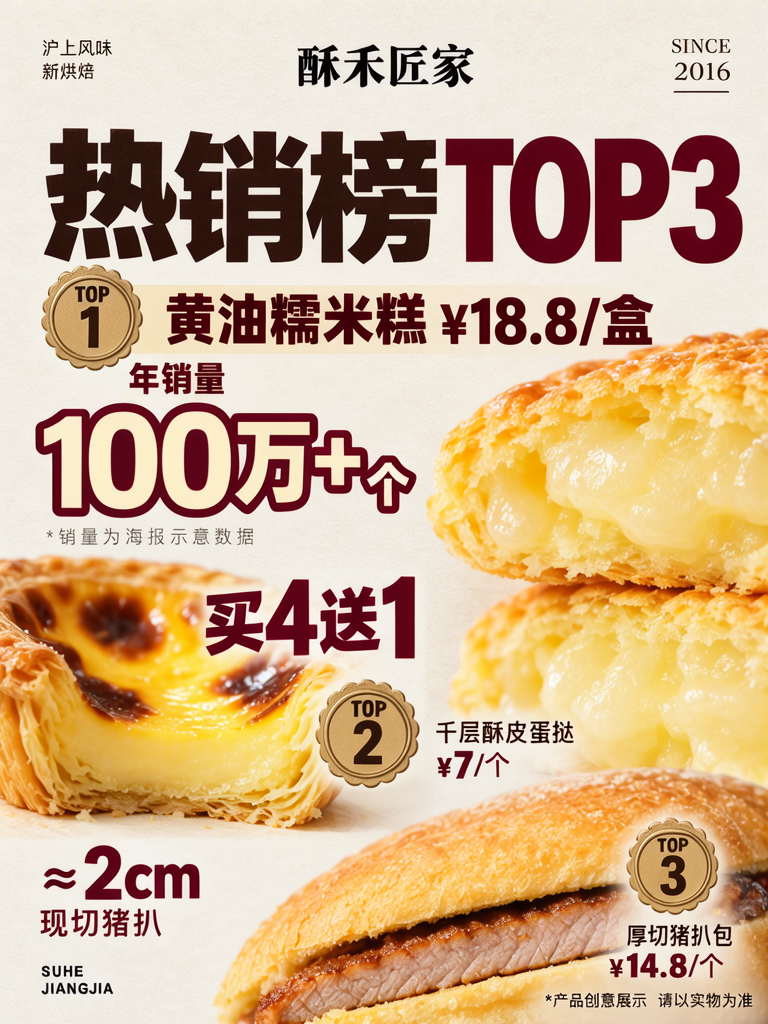
This is a real customer case: a bakery needed a product poster to place by its entrance, and we recreated it on MOSS Image. The shop’s real name and product names have been replaced with pseudonyms. The “1,000,000+ pieces” sales figure and the prices are placeholders chosen for this example, not verified shop data.
TL;DR
- A “TOP3” headline turns three bakery products into a quick-scanning list.
- Each product gets its own photo, rank and price.
- Keep product details close to their images, with promotions and fine print at distinct levels.
- The prices and sales figure are illustrative placeholders; verify every line before using a real poster.
How do three products work as one best-seller list?
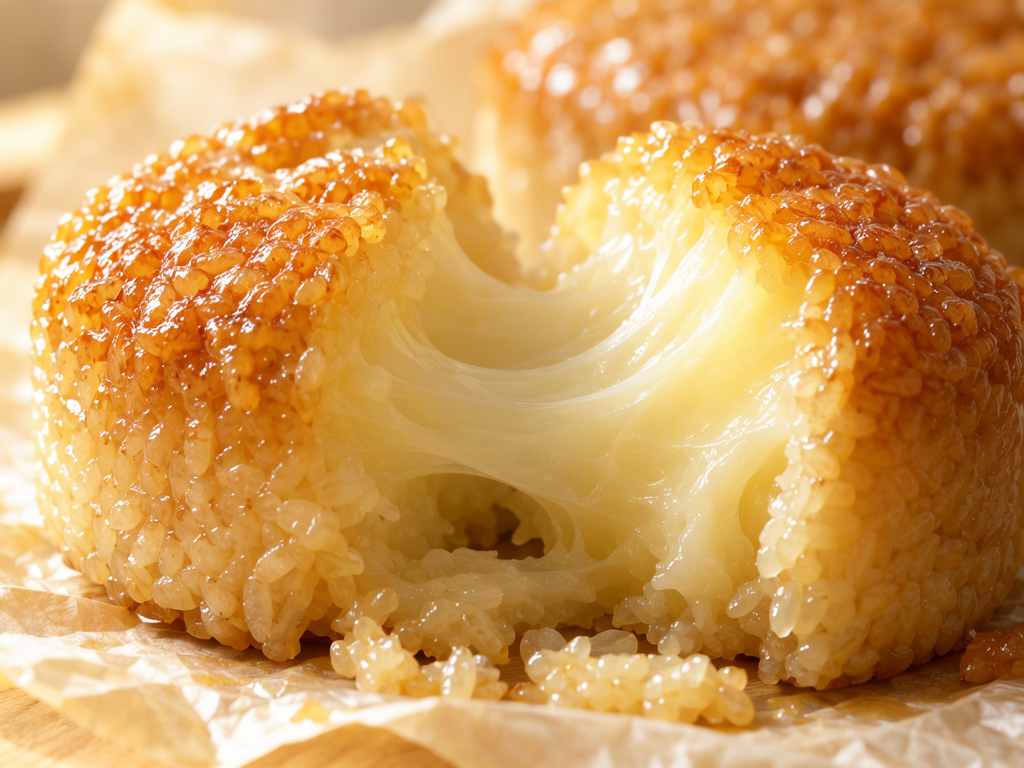
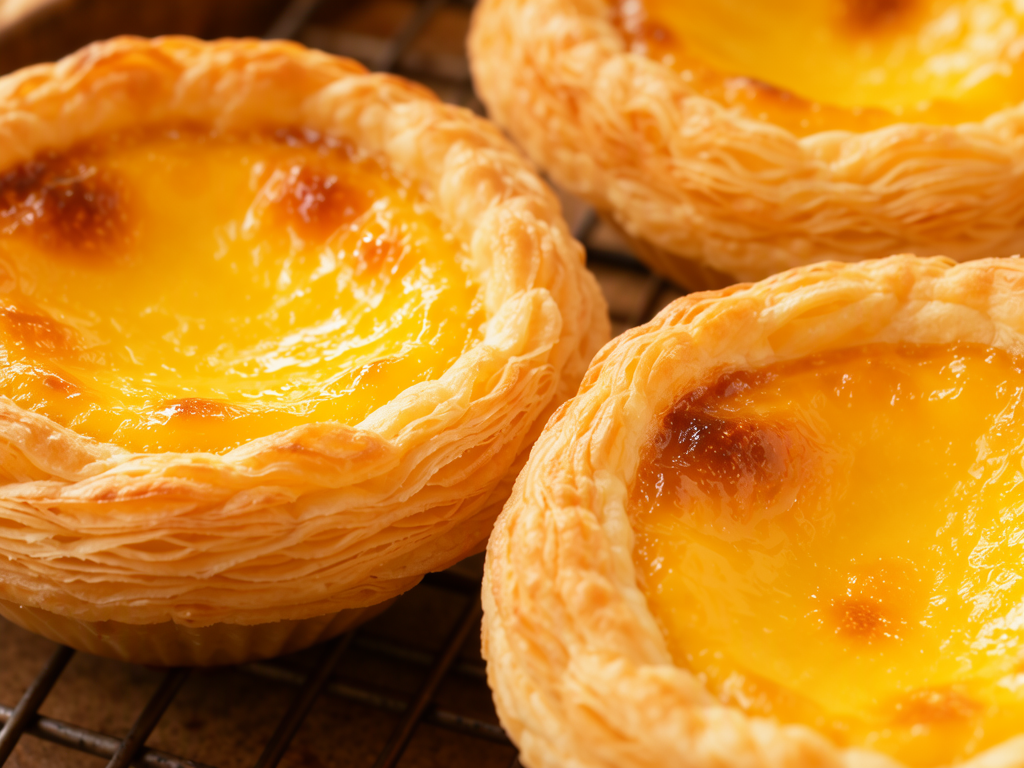
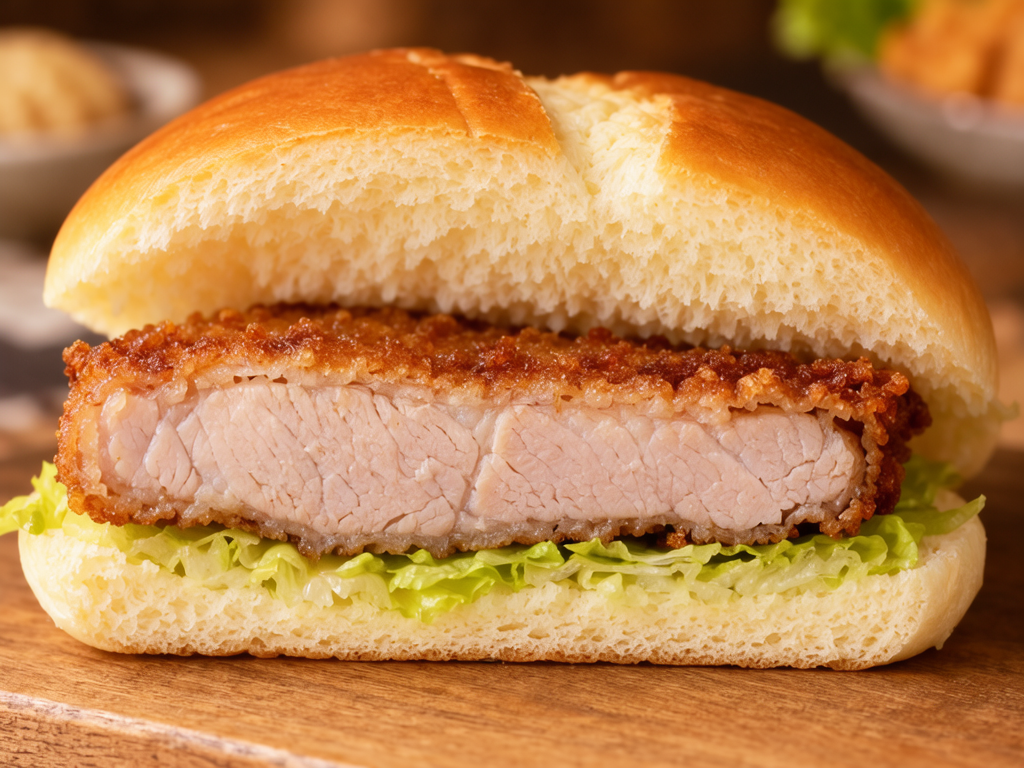
The poster puts “Butter Glutinous Rice Cake” at TOP1. Its golden crust is torn open to show a glossy, chewy center, with the box price beside it. TOP2 is the “Flaky Egg Tart,” whose layered pastry and caramelised custard pair with a “buy 4, get 1” offer. At TOP3, the “Thick-Cut Pork Chop Bun” uses a cutaway view to show the roughly 2 cm pork chop. The three close-ups have different textures, while the list helps someone approaching the doorway find each item and its details.
Make one like this Open this image on MOSS Image
Made in prompt mode with this exact prompt:
Close-up food photograph of a golden butter glutinous rice cake torn open, glossy chewy pale interior stretching, browned buttery crust, on parchment, warm light. Nothing in the picture carries any writing: no labels, logos, stickers or printed marks.
Make one like this Open this image on MOSS Image
Made in prompt mode with this exact prompt:
Close-up food photograph of three egg tarts with flaky layered puff pastry shells and glossy caramelised yellow custard, on a baking rack, warm light. Nothing in the picture carries any writing: no labels, logos, stickers or printed marks.
Make one like this Open this image on MOSS Image
Made in prompt mode with this exact prompt:
Close-up food photograph of a pork chop bun cut in half: a soft golden milk bun holding a 2 cm thick fried pork chop with crisp crust and juicy pale meat, lettuce, on a wooden board, warm light. Nothing in the picture carries any writing: no labels, logos, stickers or printed marks.
How does the poster organize its headline and product details?
We made the poster in the Layout Builder with warm off-white paper, dark brown lettering and deep red accents. The oversized “热销榜 TOP3” headline sets the theme. Gold scalloped badges mark TOP1, TOP2 and TOP3, while each product name and price sits near its food photo. “买4送1” (“buy 4, get 1”) is a prominent offer; “100万+个” (“1,000,000+ pieces”) is paired with a small note that it is sample poster data. Check the fine print and product disclaimer at the size where the poster will be displayed.

Make one like this Open this image on MOSS Image
Trademarks and copy in the image have been altered to avoid infringement.
Made in the Layout Builder with these boxes:
| Box text | Look |
|---|---|
| 酥禾匠家 | Bold black Chinese shop mark |
| SINCE / 2016 | Small black serif Latin lettering |
| 热销榜 TOP3 | Huge heavy dark brown Chinese followed by deep red Latin letters |
| 黄油糯米糕 ¥18.8/盒 / 年销量 | Medium dark red brown lettering |
| 100万+个 | Very large cream digits outlined in deep red |
| *销量为海报示意数据 | Tiny gray Chinese and digits |
| 买4送1 | Large angled deep red lettering |
| TOP / 1 | Dark brown lettering on a gold scalloped rosette medal |
| TOP / 2 | Dark brown lettering on a gold scalloped rosette medal |
| 千层酥皮蛋挞 / ¥7/个 | Small dark brown Chinese and price |
| ≈2cm / 现切猪扒 | Large deep red digits and medium dark brown Chinese |
| TOP / 3 | Dark brown lettering on a gold scalloped rosette medal |
| 厚切猪扒包 / ¥14.8/个 | Small dark brown Chinese and price |
| 沪上风味 / 新烘焙 | Tiny black Chinese, two short lines |
| SUHE / JIANGJIA | Small black bold capitals, two lines |
| *产品创意展示 请以实物为准 | Tiny black Chinese |
How can you make a bakery best-seller poster?
- Confirm the product names, ranking, prices and offer terms. Replace any sample figures with information checked by the shop.
- Open the AI poster generator and use Layout Builder boxes for the headline, each product, its rank and price, and the notes.
- Prepare or generate product photos first, then give each one a matching product area so the image and text stay associated.
- Proof every name, price, offer condition and footnote at the poster’s intended display size. Check that each price still sits beside the right product.
MOSS Image Studio is an independent hosted studio for the open MOSS-Image model. Not affiliated with OpenMOSS.
FAQ
Can I use “1,000,000+ pieces” on a real shop poster?
Not as a sample figure. Use sales information the shop has verified, or remove the number and its explanatory note.
Are the three prices actual prices?
No. They are placeholders in this example. Replace and verify each price and unit with the shop before displaying the poster.
Why give each product its own text box?
Separate boxes make the layout easier to adjust and make it easier to catch a price that has drifted next to the wrong product.
Try it with your own words
Open the Studio, write a brief or lay out boxes on the canvas, and generate with MOSS-Image.