MOSS-Image Base vs SFT: the same prompts, side by side
We ran three poster-style prompts through moss-image-base-1.0 and moss-image-sft-1.0 and checked the text. Here is what each model did.
OpenMOSS released MOSS-Image on 16 October 2026 in two variants: Base and SFT. Both are available in this studio and through the MOSS API, so we ran the same prompts through each and looked at the text.
This is a small, honest test: three prompts, one image per model, no cherry-picking. It is not a benchmark. Read it as a first impression, then run your own prompts.
How we checked
Every image was generated at 1152×1536 through the official MOSS API. We then ran an automated OCR pass over each result and compared the recognised text with the quoted copy in the prompt. OCR can misread stylised lettering, so where it flagged something, treat it as "worth zooming in on" rather than a verdict. The API adds a small "AI生成" label to the corner of its images by default; you will see it in the examples.
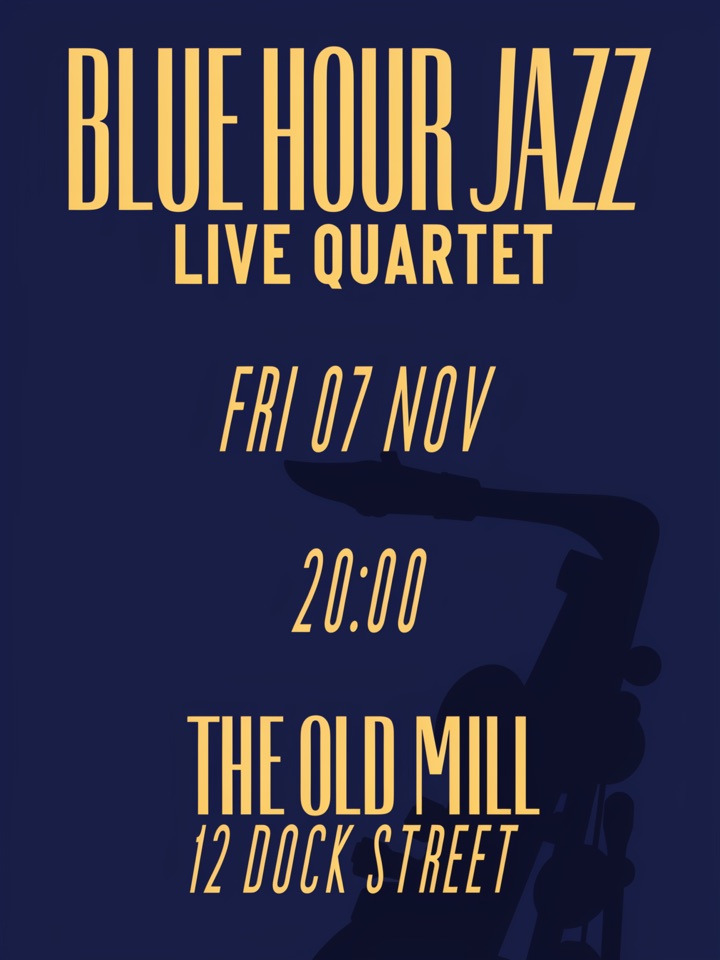
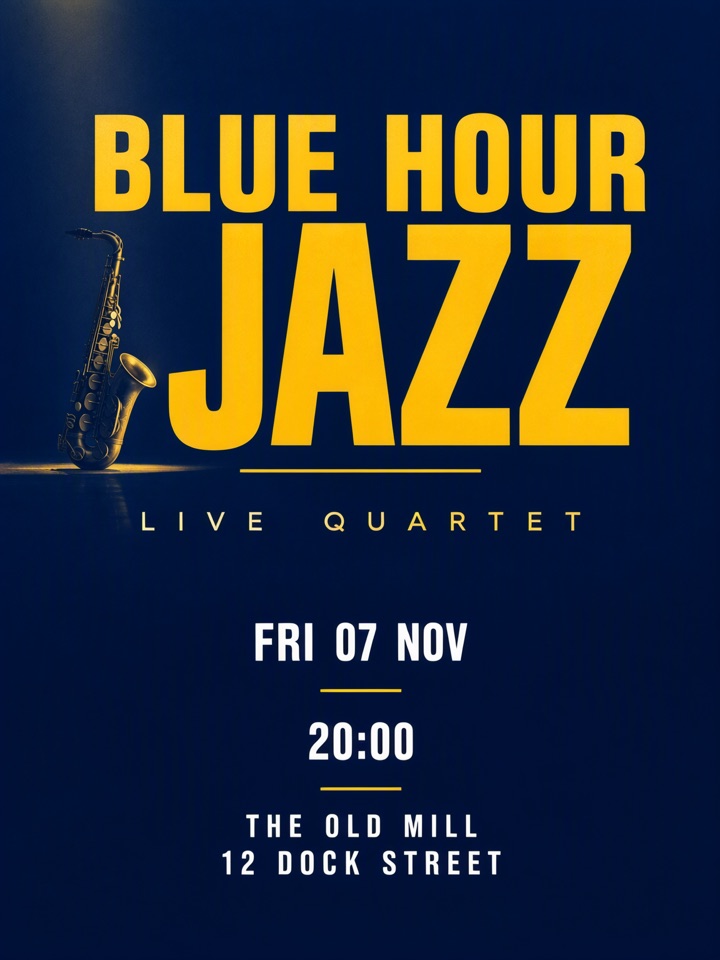
Prompt 1: a jazz night poster
Event poster for a jazz night. Headline: 'BLUE HOUR JAZZ'.
Subline: 'LIVE QUARTET'. Details on three separate lines:
'FRI 07 NOV', '20:00', 'THE OLD MILL, 12 DOCK STREET'.
Deep navy background, warm yellow lettering, a saxophone silhouette.
No other text.
Base — all six text lines were recognised correctly.
SFT — the date, time and venue were recognised, but the headline's last word was read as "JATT" instead of "JAZZ". Zoom in on the headline before using it.
Prompt 2: a Chinese and English shop sign
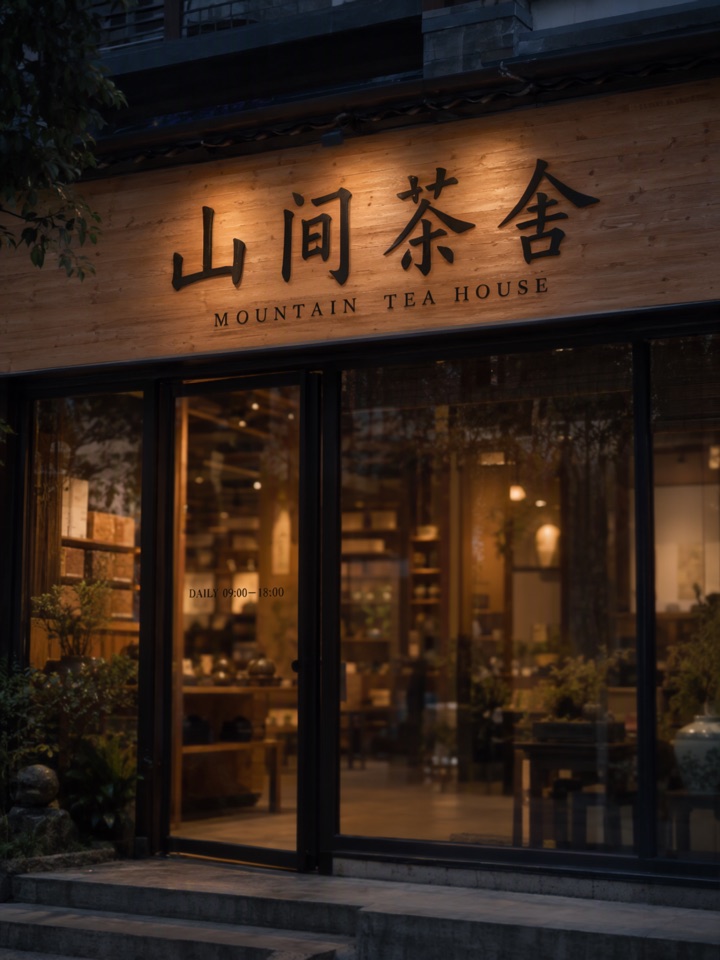
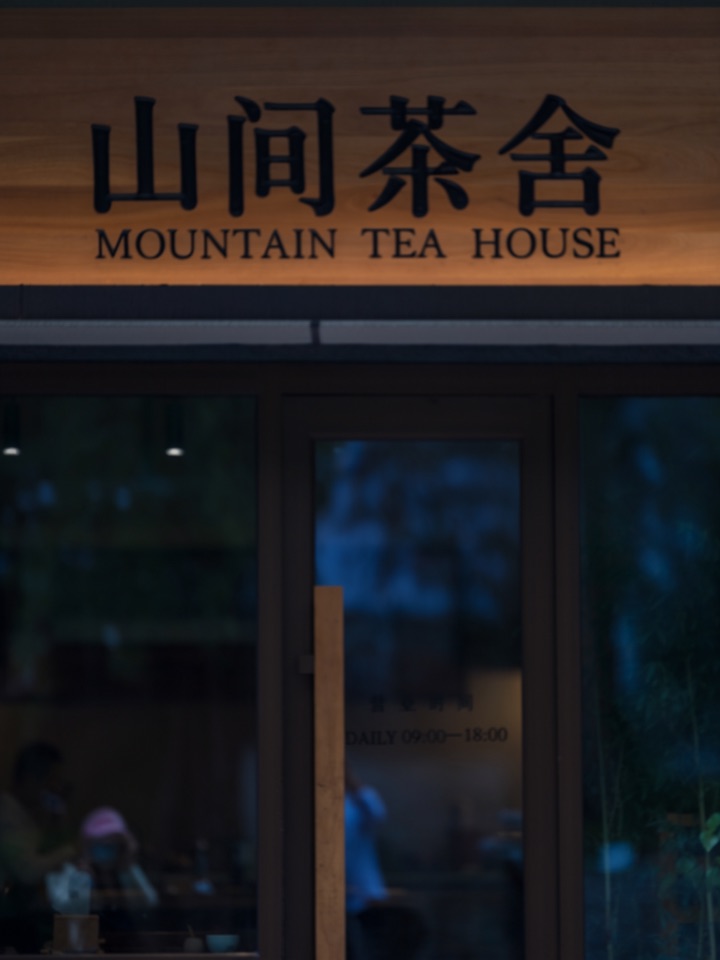
Photograph of a tea house storefront at dusk. Wooden sign with large
Chinese characters: '山间茶舍'. Directly below it in capitals:
'MOUNTAIN TEA HOUSE'. Small line on the glass door:
'DAILY 09:00–18:00'. No other text.
Both variants rendered 山间茶舍, MOUNTAIN TEA HOUSE and the opening hours in our text check. We only checked the text here, so judge the composition and lighting for yourself from the images below.
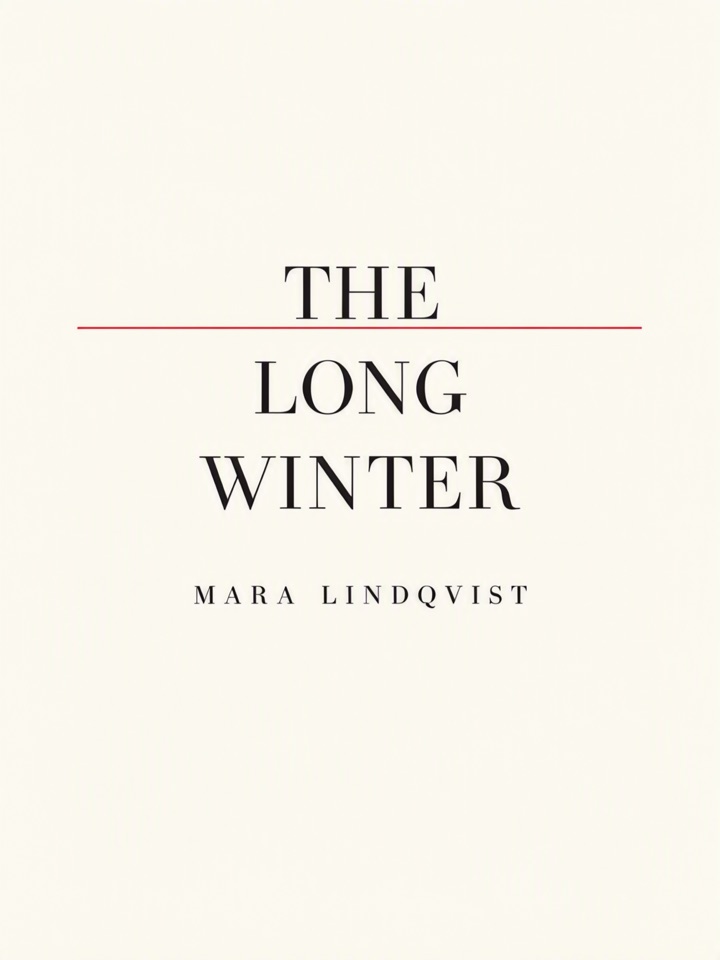
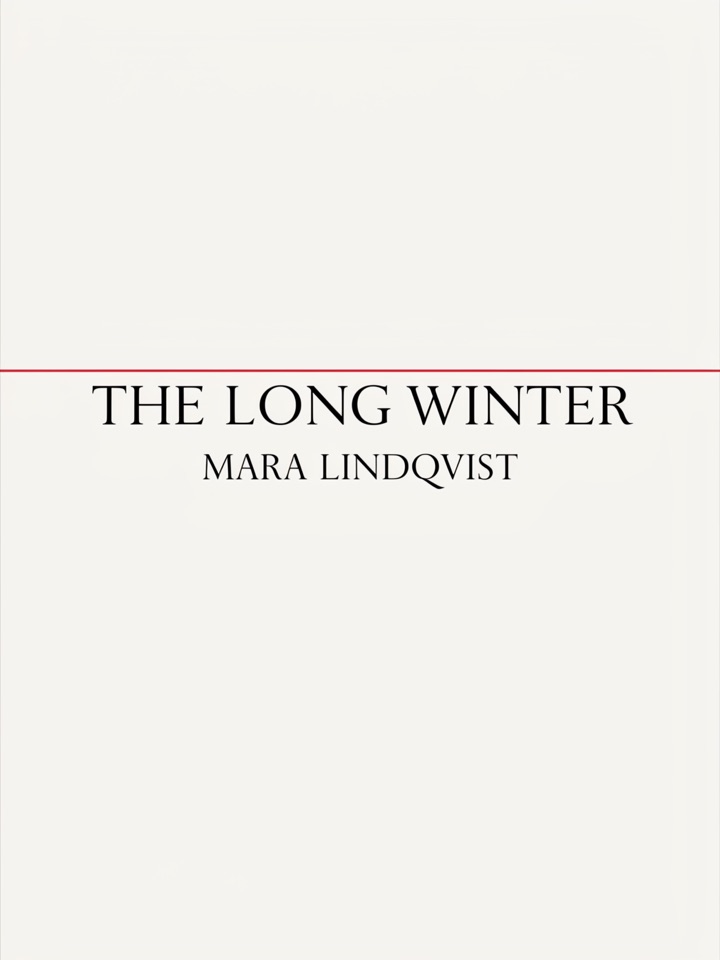
Prompt 3: a minimal book cover
Minimal book cover, off-white background, one thin red horizontal line.
Title in large black serif capitals: 'THE LONG WINTER'.
Author name below in small capitals: 'MARA LINDQVIST'. No other text.
Both variants returned the title and author name correctly.
What to take from this
- Both models handled short, quoted text well, including mixed Chinese and English.
- In this sample the only text error our check flagged was in the SFT jazz poster headline. With one image per model per prompt, that says little about which variant is better overall. Generate two or three candidates for anything important and proofread each one.
- Our check covers text only, through OCR. It says nothing about composition, style or image quality.
- OpenMOSS lists 50 steps, guidance 3 and shift 5 as recommended settings for the open weights. The hosted API handles its own defaults.
Want to compare them yourself? Open the studio, pick a model from the selector, and reuse the prompts above. For wording tips see how to write prompts for exact text.
This studio is an independent service and is not affiliated with the OpenMOSS team.