What belongs on Thanksgiving closure signs for 2026?
Compare two Thanksgiving closure signs and learn how to separate the closed date from reopening time, with box layouts and print checks.
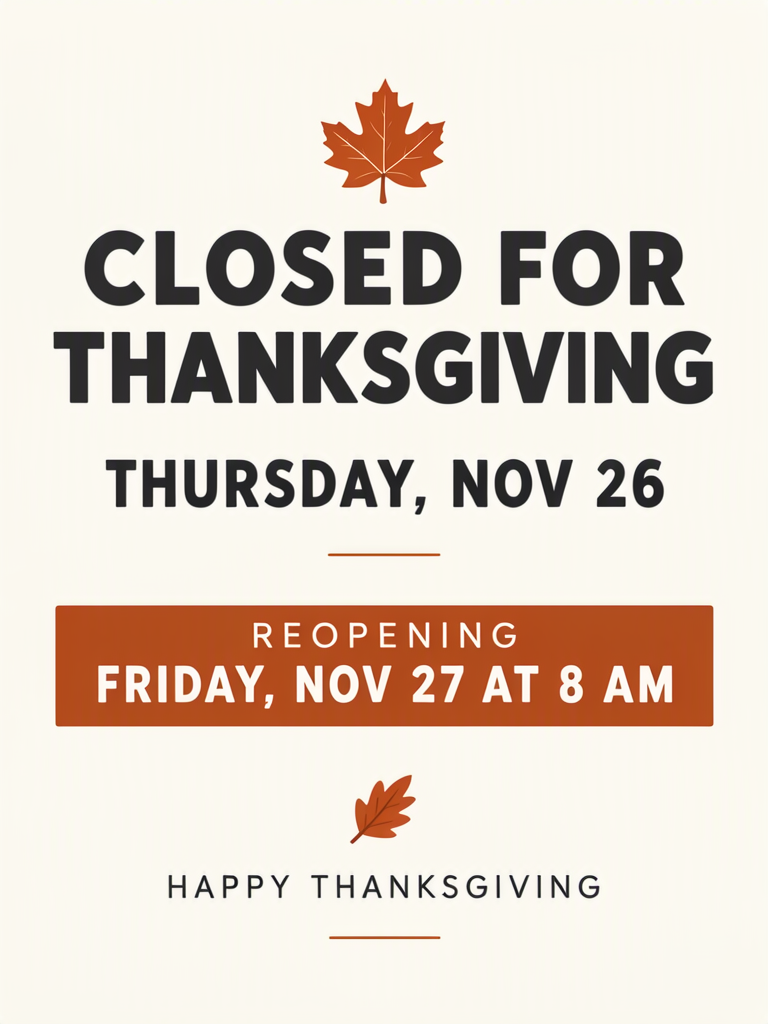
Thanksgiving closure signs for 2026 need two distinct facts: when the shop is closed and when customers can return. Thanksgiving falls on Thursday, November 26. A useful sign puts that closed date beside a separate reopening date and time, with the holiday greeting kept secondary. These examples compare a generated shop-door scene with a flat sign built around a highlighted return time.
TL;DR
- Write the closed day and reopening time as separate facts.
- Keep “reopening” attached to its date and hour.
- Use the flat layout when the notice itself is the thing you need to print.
- Replace the sample hours with your confirmed shop schedule.
What must the notice say before you add a greeting?
State the closure first and the next opening second. The sample closes on Thursday, November 26 and reopens Friday, November 27 at 8 AM.
Write both lines from the same approved schedule. Avoid a vague “back tomorrow,” especially on a notice that may stay on the door after the holiday. The date tells a customer which Friday you mean; the time tells them when a return trip would make sense. Keep the friendly sign-off only after those facts fit comfortably.
The shop and its 8 AM reopening are made up for these examples.
Make one like this Open this image on MOSS Image
Made in prompt mode with this exact prompt:
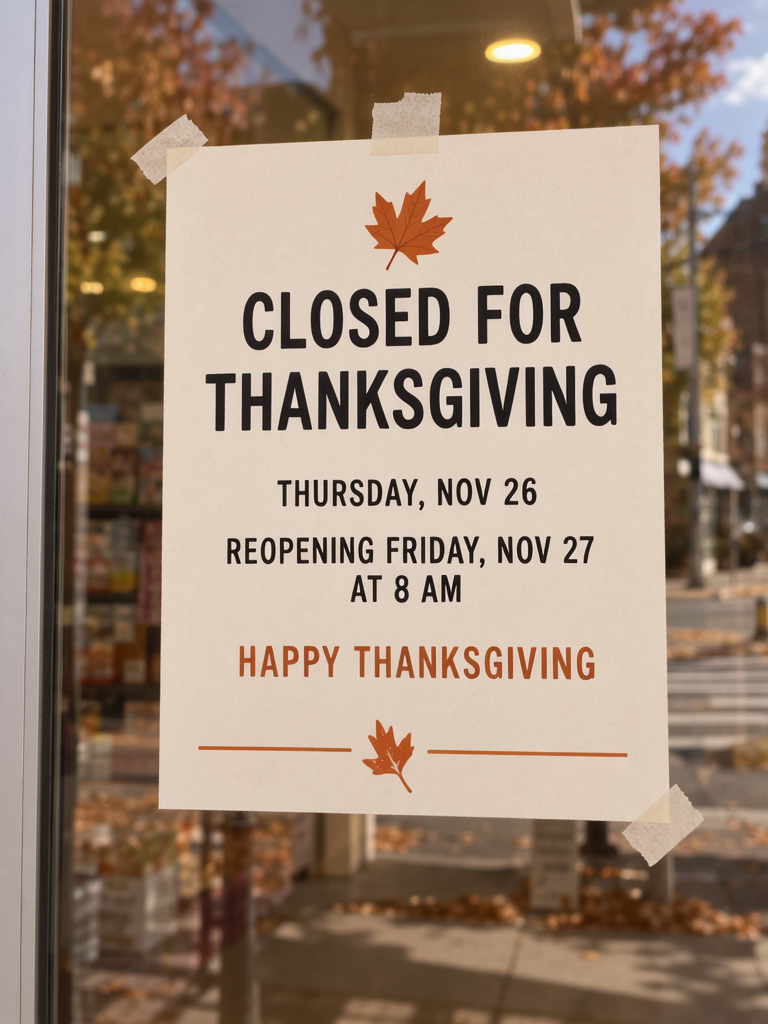
Photograph of a printed cream card sign taped to the glass door of a small neighbourhood shop, soft daylight, a little autumn street reflected in the glass, sign in sharp focus. Simple black and burnt-orange lettering with a small maple leaf. Text, render exactly and add nothing else: heading 'CLOSED FOR THANKSGIVING'; line 'THURSDAY, NOV 26'; line 'REOPENING FRIDAY, NOV 27 AT 8 AM'; small line 'HAPPY THANKSGIVING'.
All four lines came out right on our first try. The reopening sentence wraps after “NOV 27,” leaving “AT 8 AM” on the next line. It remains readable, but the closed day and return day have the same visual weight. This is a hierarchy problem rather than a spelling problem: the reader must work out which date belongs to which action.
How does a separate reopening box help?
It gives the return information its own visible place. In the Layout Builder version, a burnt-orange box contains the reopening sentence while the closed day stays under the main heading.

Make one like this Open this image on MOSS Image
Made in the Layout Builder with these boxes:
| Box text / object | Job | Approximate position |
|---|---|---|
| (illustration) | Leaf | Top |
| CLOSED FOR THANKSGIVING | Closure heading | Upper middle |
| THURSDAY, NOV 26 | Closed date | Middle |
| REOPENING FRIDAY, NOV 27 AT 8 AM | Reopening date and hour | Lower middle |
| HAPPY THANKSGIVING | Greeting | Bottom |
All the required text was correct on our first attempt. The return time reads as a separate fact in the coloured box, making it easier to distinguish from the closed day.
Keep the complete reopening phrase in one box, even if it wraps within that box. If you put “8 AM” in a distant corner, a customer may have to search for its date. Give the return sentence enough height before enlarging the decorative leaf. For a bilingual shop, draft the Chinese return instruction alongside the English one and check that both say the same day and hour.
Which version should you use on a real door?
Start with the flat sign for the notice you intend to print. The photographic version is a generated scene showing a notice on a door; printing that whole scene would also print the pictured glass, reflections and surroundings.
| Version | What it is useful for | What to inspect |
|---|---|---|
| Door scene | Showing the notice in a shop setting | Complete reopening date and time |
| Flat layout | Developing the standalone notice | Separation of closure and return information |
| Your printed proof | Checking your actual placement | Readability through your door glass |
Try the proof where it will hang, with the shop lighting as customers will see it. If the bottom line is hard to read, remove or shorten the greeting before shrinking the schedule. This keeps the notice centred on the customer’s next visit.
What are the limits of these examples?
Both first attempts had correct text, but the door scene gave the closed and reopening dates equal weight. Check the schedule with the shop owner, then inspect the printed sign at the entrance.
Before printing, compare “THURSDAY, NOV 26” and “FRIDAY, NOV 27 AT 8 AM” with the approved rota or owner’s message. Check AM rather than just the number 8. Then read the sign from the position of someone approaching the entrance. If a new generation drops “REOPENING,” reject it even if the remaining date and hour are spelled correctly; the action word carries essential meaning.
How can you make a closure notice with a clear return time?
- Start a 3:4 portrait notice in the Layout Builder, matching our flat sign. Draw separate boxes for the closure heading, closed date, complete reopening sentence and small greeting.
- Give the reopening box enough height for both the date and hour. Fill it from the shop schedule, keeping “REOPENING” and “AM” with the time.
- To try the shop-door scene, use the AI poster generator at the same 3:4 ratio and quote those four lines. The exact-text guide shows how to separate them from the glass-door description.
- Check CLOSED and REOPENING first, then compare their dates. Print the flat notice at your intended size and test it on the actual door with the reopening line visible from the approach.
MOSS Image Studio is an independent hosted studio for the open MOSS-Image model. Not affiliated with OpenMOSS.
FAQ
Should I put “Happy Thanksgiving” at the top?
For a closure notice, keep it below the operating information. The customer needs to know whether to return and when. The example uses the greeting as a small sign-off.
Can I copy the Friday 8 AM reopening time?
Only if it matches your confirmed schedule. The calendar verifies the weekday, not your opening arrangements. Replace the sample hour before generating your own sign.
How do I add Chinese without crowding the notice?
Give closure and reopening a Chinese line each, then shorten the greeting. Confirm both languages against the same schedule before changing their visual size.
Sources
- 2026 occasion dates and weekdays — Checked on 2026-11-03.
Try it with your own words
Open the Studio, write a brief or lay out boxes on the canvas, and generate with MOSS-Image.