Real Customer Case: A Café Group-Offer Poster in MOSS
See how we built a café group-offer poster around a kale smoothie, a voucher, clear offer hierarchy and QR placeholders added after generation.
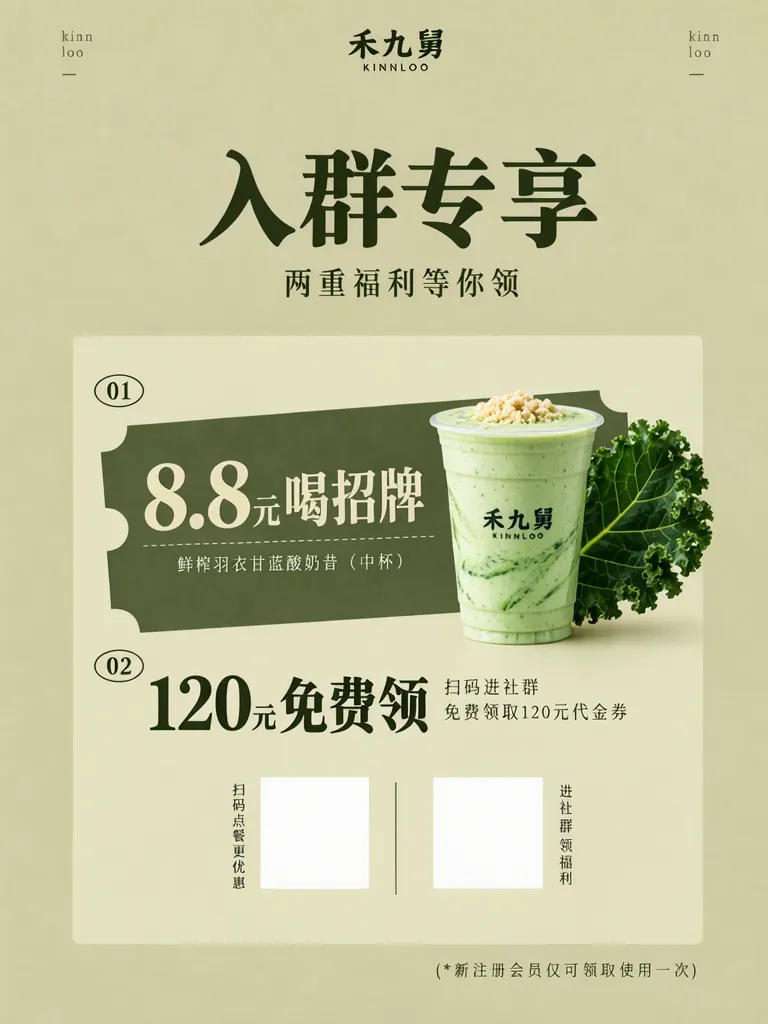
A café-restaurant asked us for an in-store and by-the-door poster inviting guests to join its group for two offers. This is a real customer case; the shop’s real name, product names and copy have been replaced with equivalent pseudonyms. The poster uses “禾九舅” as the shop pseudonym. The amounts shown are placeholders for this example and should be replaced with the shop’s confirmed terms.
TL;DR
- Lead with “Join the group” and the promise of two benefits.
- Number each offer so the drink deal and voucher stay distinct.
- Start with product photos, then place each line in its own Layout Builder box.
- The generated poster has blank QR placeholders; scannable codes were added and checked afterward.
What are the two offers built around?
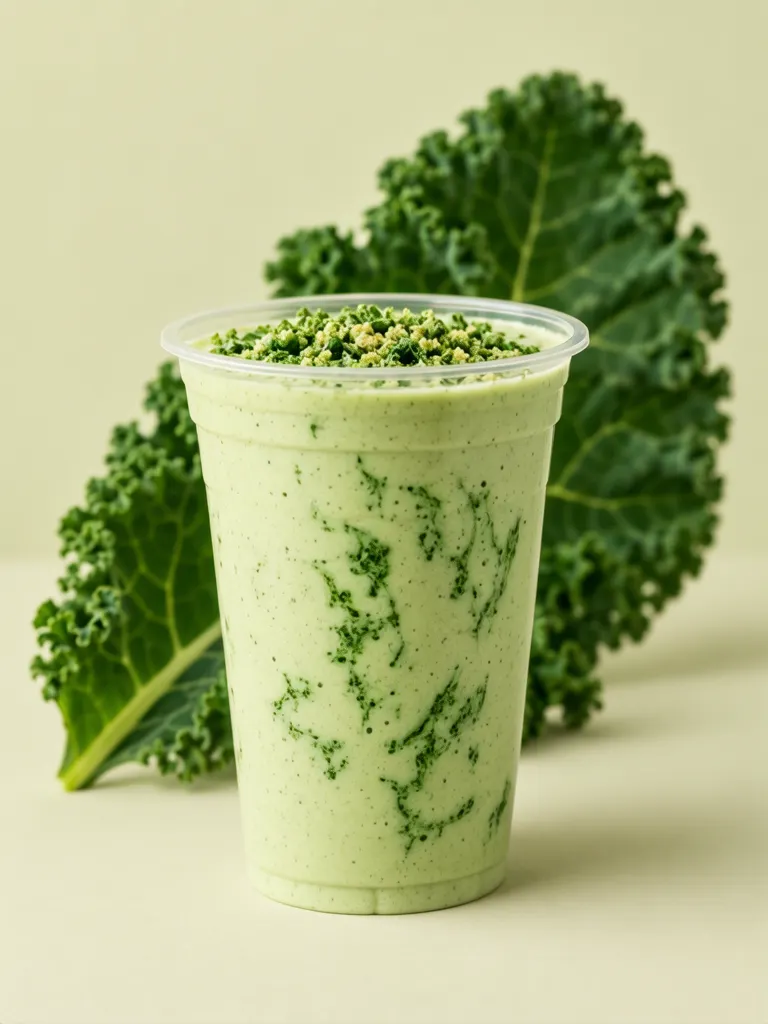
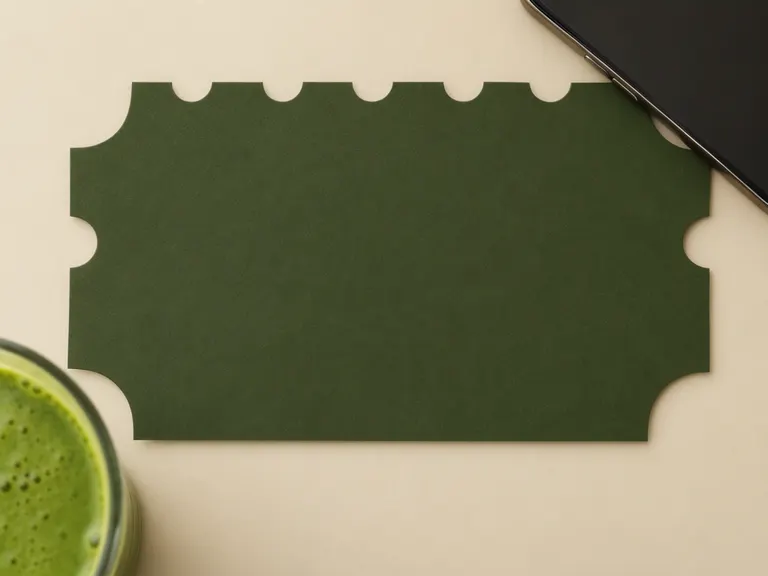
The first is a medium fresh kale yogurt smoothie. Its product photo shows a pale green drink in a clear cup, with green marbled streaks, a crumble topping and a curly kale leaf behind it. The second image puts a blank dark olive paper coupon beside a smoothie and a phone. Together, the photos give the offer poster a small visual vocabulary: olive green, khaki cream, a drink, and a ticket shape.
Make one like this Open this image on MOSS Image
Made in prompt mode with this exact prompt:
Product photograph of a clear plastic cup of pale green kale yogurt smoothie with green marbled streaks and a crumble topping, a large curly kale leaf behind it, khaki cream background, soft light. Nothing in the picture carries any writing: no labels, logos, stickers or printed marks.
Make one like this Open this image on MOSS Image
Made in prompt mode with this exact prompt:
Flat lay photograph of a dark olive green paper coupon ticket with round notches on its edges, blank with no printing, next to a phone face down and a cup of green smoothie, on a khaki cream table. Nothing in the picture carries any writing: no labels, logos, stickers or printed marks.
How does the poster guide the eye?
We used khaki cream for the paper and dark olive for the main type. Oversized brush lettering says “入群专享” (join-the-group exclusive), while the smaller “两重福利等你领” (two benefits to claim) explains the offer. The inset panel then separates the content into 01, “8.8元喝招牌” (8.8 yuan for the signature drink) with the smoothie name, and 02, “120元免费领” (claim 120 yuan free) with the voucher detail. These amounts are example placeholders.
Two white squares mark where QR codes can go, but they are blank in the generated image. We pasted in QR codes afterward, pointing to the mossimage.dev homepage. The generated poster appears first, followed immediately by the version with codes. Scan pasted codes on a phone to verify their destination before putting the poster up.
Make one like this Open this image on MOSS Image
Trademarks and copy in the image have been altered to avoid infringement.
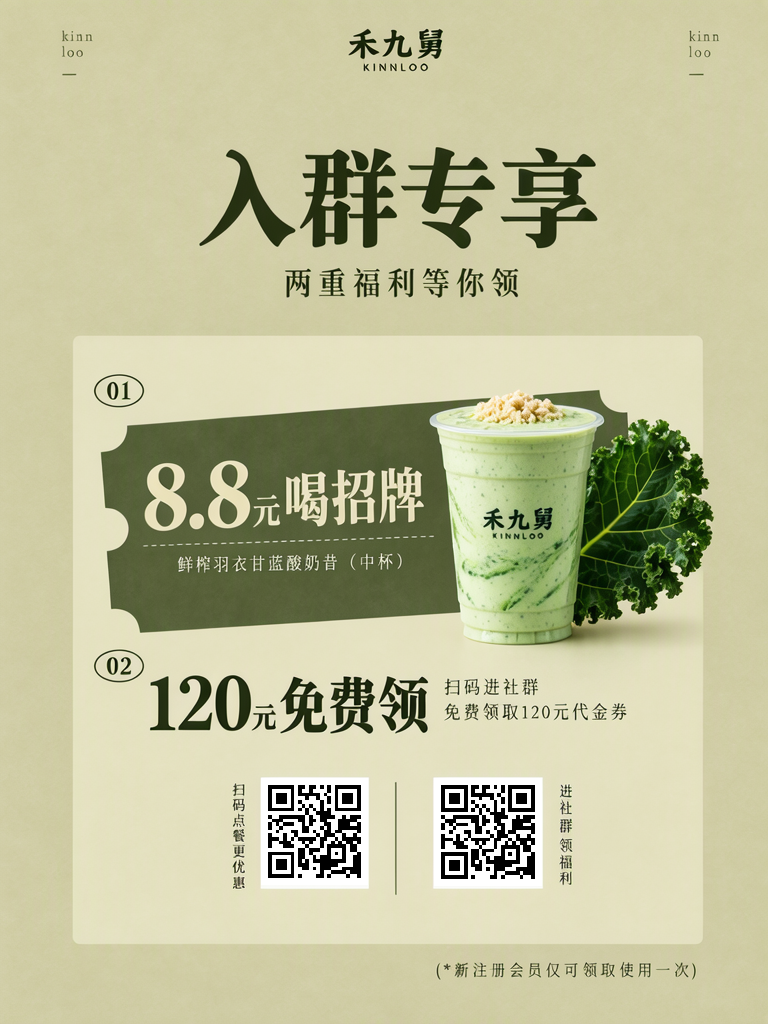
The QR codes were pasted in afterward and open the mossimage.dev homepage.
Made in the Layout Builder with these boxes:
| Box text | Appearance and hierarchy |
|---|---|
| kinn / loo | Tiny muted olive lowercase Latin, two lines at the top |
| kinn / loo | Tiny muted olive lowercase Latin, two lines at the bottom |
| 禾九舅 / KINNLOO | Bold dark olive Chinese over small olive capitals |
| 入群专享 | Very large dark olive brush calligraphy |
| 两重福利等你领 | Medium dark olive Chinese serif |
| 01 | Small olive digits inside a thin outlined oval |
| 8.8元喝招牌 | Large cream bold numerals followed by brush Chinese |
| 鲜榨羽衣甘蓝酸奶昔(中杯) | Tiny cream Chinese below a dashed line |
| 禾九舅 / KINN LOO | Small black brush Chinese over tiny capitals, printed on cup |
| 02 | Small olive digits inside a thin outlined oval |
| 120元免费领 | Large dark olive numerals followed by brush Chinese |
| 扫码进社群 / 免费领取120元代金券 | Small dark olive Chinese on two lines |
| 扫码点餐更优惠 | Tiny dark olive vertical Chinese column |
| 进社群领福利 | Tiny dark olive vertical Chinese column |
| (*新注册会员仅可领取使用一次) | Tiny grey olive Chinese |
How can I make a group-offer poster like this?
- Confirm the offer names, eligibility, amounts and the action guests should take. Treat the figures here as placeholders.
- Open the AI poster generator and choose a portrait canvas. Make product photos first to establish the palette and material feel.
- In Layout Builder, give the headline, each numbered offer, its detail and each QR placeholder a separate box.
- Proof every product name, amount and condition. After adding QR codes, scan them with a phone and confirm the destination.
MOSS Image Studio is an independent hosted studio for the open MOSS-Image model. Not affiliated with OpenMOSS.
FAQ
Can the generator make a scannable QR code directly?
The two squares in this poster are blank placeholders. We added the QR codes afterward and checked that they open the mossimage.dev homepage.
Can I reuse the 8.8 yuan and 120 yuan amounts?
Treat them as example placeholders. Use the amounts and rules the shop has confirmed for its actual offer.
Why number the offers 01 and 02?
Numbering helps readers distinguish the signature-drink deal from the group voucher and gives each offer room for its own detail and QR area.
Try it with your own words
Open the Studio, write a brief or lay out boxes on the canvas, and generate with MOSS-Image.