Use MOSS-Image online without installing ComfyUI: local vs hosted
MOSS-Image supports ComfyUI natively, but not everyone wants to set it up. Who each route suits, and what is different about the hosted version.
Plenty of people search for "MOSS Image ComfyUI", which is unsurprising: OpenMOSS released MOSS-Image on 16 October 2026 and its official repository ships ComfyUI loaders. Others only want to try the model and would rather not install ComfyUI, download weights and sort out a GPU first. This post explains the two routes so you can pick one.
What MOSS-Image is
According to the official repository, MOSS-Image is a text-to-image diffusion model of about 5 billion parameters, aimed at text rendering and layout control. It comes in two variants:
- Base: the foundation model.
- SFT: a supervised fine-tune that the authors describe as better at grouping text and organising layout.
It is released under Apache-2.0. The officially supported ways to run it are native ComfyUI, a custom diffusers pipeline and a Gradio interface. The official material does not mention image-to-image or editing, so we do not present it as an editing tool.
Running it locally: who it suits
If you want full control over parameters, your own workflows, or offline batch jobs, local is the right choice:
- The recommended sampling settings are the Euler sampler, at least 50 steps, CFG around 3.0 and shift around 5, at roughly 1 to 2 megapixels.
- Hardware needs depend on the run mode (weights resident on the GPU, component offloading or sequential loading). The official material gives no single VRAM figure, so check the official docs.
- The community has released an 8-step distilled version. That is a community project, not an official "turbo" model, so judge its quality trade-offs yourself.
Using it online: who it suits
If you want to test an idea, make one poster or menu, or you have no suitable GPU, online is quicker:
- No ComfyUI install and no weights to download.
- Sign in, write a prompt, choose Base or SFT and generate.
- Prompting follows the official advice: English is recommended, Chinese is supported, and text meant for the image goes in quotes.
The differences, honestly
This studio is an independent service and calls the official hosted MOSS API, so:
- Sampling parameters are the API's own defaults. Results will not necessarily match a local run at 50 steps and CFG 3.
- There is no node-based workflow and no custom LoRA loading here.
- This studio switches off the API's visible corner label, so images come back without it. The API still embeds AIGC metadata in the file.
- Generations are billed in credits, and new accounts get free starter credits.
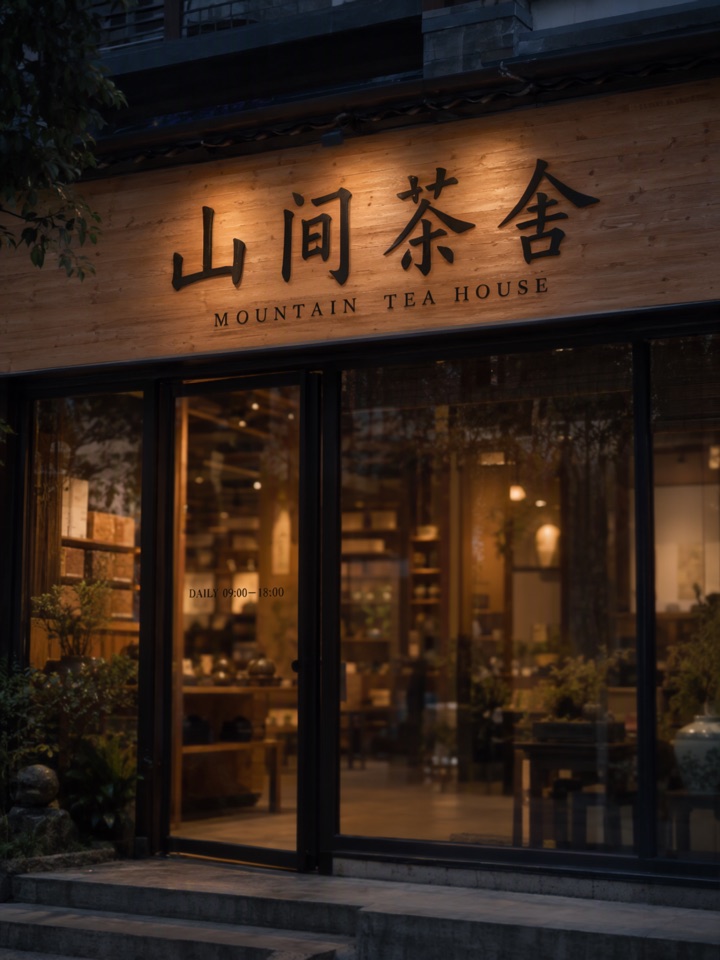
Here is one image from the hosted SFT model, using a mixed Chinese and English tea house sign prompt:
Which should you pick
- You want to tune, build workflows or work offline: local ComfyUI.
- You want one good image fast and no setup: online.
- You want to see the quality before committing to an install: try online first, then install if you like it.
To try it now, open the studio and choose MOSS Image SFT or Base. For prompt tips see how to write prompts for exact text, and for a side-by-side of the two variants see Base vs SFT.
This studio is an independent service and is not affiliated with the OpenMOSS team. Model facts come from the official OpenMOSS repository; defer to it if anything differs.