Salon Service Price Posters: Align Each Service and Price
Plan a salon price poster with one service per row, honest starting prices, and a note explaining what changes the final color price.
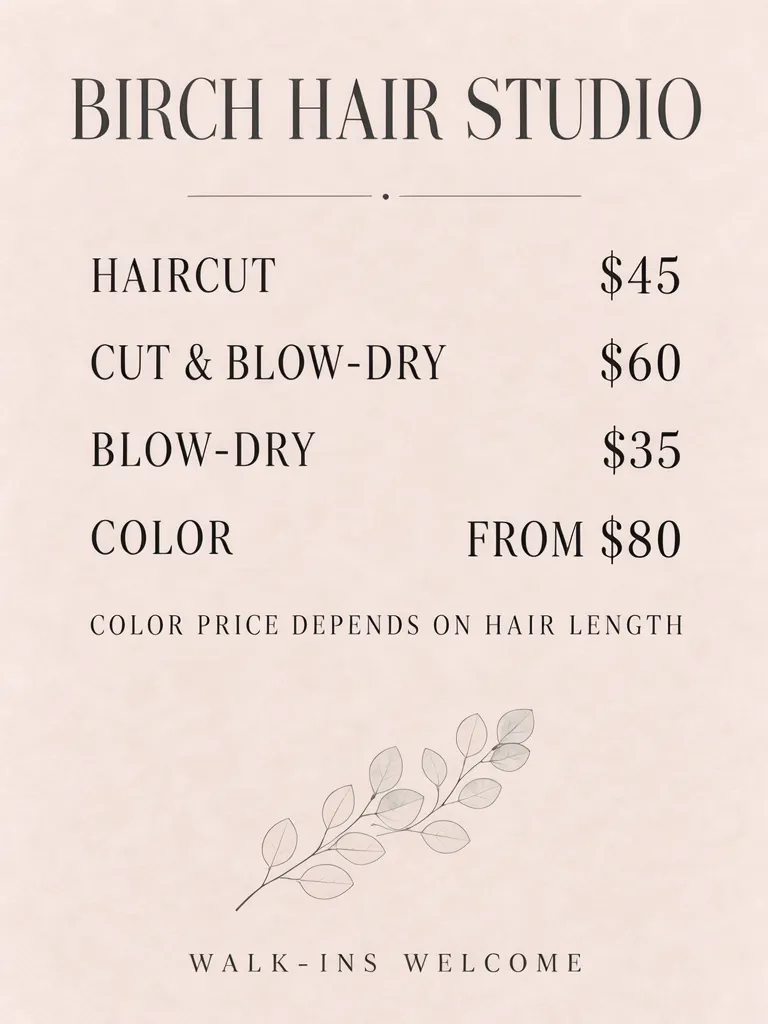
A salon service price poster is easiest to scan when every service has a matching price on the same row. Put variable prices behind an honest “FROM” label, then state what can change the final amount. Our example lists four services, marks color from $80, and explains that color price depends on hair length.
TL;DR
- Give each service and its price one row.
- Mark a starting price with “FROM.”
- Say what changes the final price.
- Check that a reader can match every price to the correct service.
How should salon prices be arranged?
Use one row per service-price pair, with service names on the left and prices aligned on the right. A reader should not have to track across multiple rows to decide which price belongs to a haircut or a blow-dry. Put notes about variable pricing directly below the relevant service list, and reserve the footer for general information such as walk-ins.
The salon name, services and prices in these examples are made up.
Make one like this Open this image on MOSS Image
Made in the Layout Builder with these boxes:
| Box text / object | Purpose | Approximate position |
|---|---|---|
| BIRCH HAIR STUDIO | Salon name | Top |
| HAIRCUT $45 | Service and price | Upper list row |
| CUT & BLOW-DRY $60 | Service and price | Second row |
| BLOW-DRY $35 | Service and price | Third row |
| COLOR FROM $80 | Starting price | Fourth row |
| COLOR PRICE DEPENDS ON HAIR LENGTH | Variable-price note | Below list |
| Eucalyptus sprig | Decoration | Lower area |
| WALK-INS WELCOME | Footer | Bottom |
All seven text lines were correct on the first try. The layout has one box per row and places “FROM $80” with the color service. The note underneath says why the final color price may vary, making the starting amount easier to interpret.
Why does one row per pair matter?
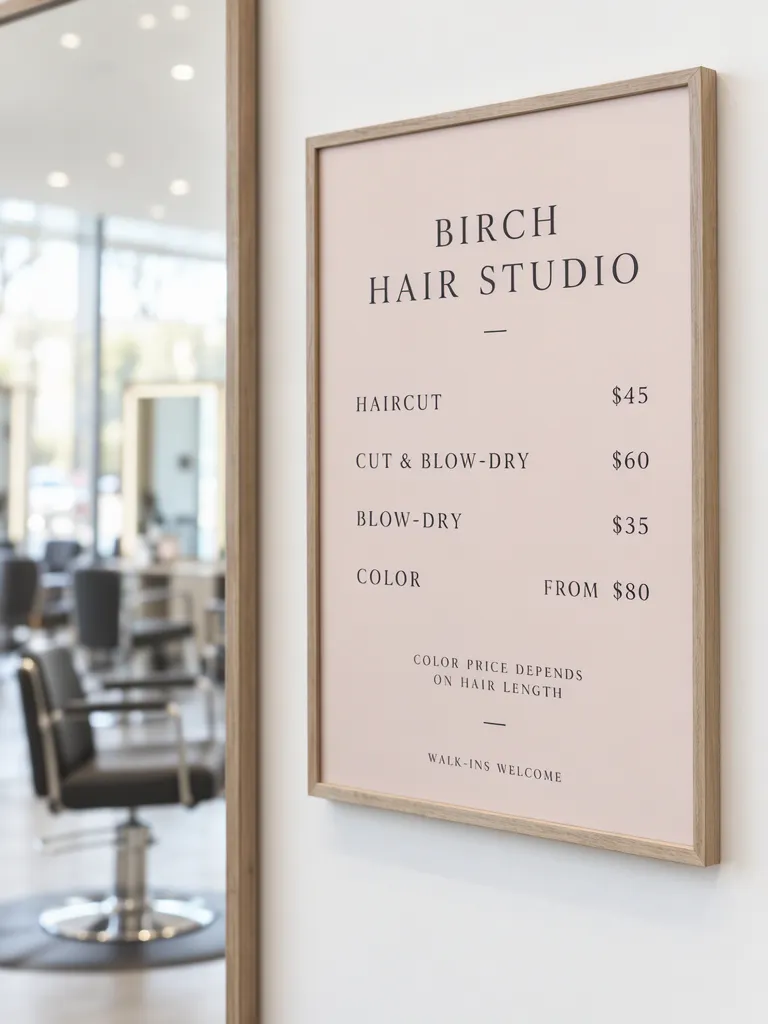
A consistent row keeps the service and amount visually attached. In the framed photo the four amounts do not share a baseline with their service names: the first sits a few pixels higher, the other three a few pixels lower. The salon name also wraps onto two lines. The copy remains readable, but the price alignment is less immediate than in the layout version, where each pair occupies one line.
Make one like this Open this image on MOSS Image
Made in prompt mode with this exact prompt:
Photograph of a framed price list on a white wall beside a salon mirror, empty styling chairs softly blurred, the frame flat and in sharp focus. Soft blush paper, charcoal serif type, service names on the left and prices on the right. No people and no product bottles in view. The printed piece holds only the quoted text, and nothing else in view carries any writing: no other signs, labels, stickers or notes. Text, render exactly and add nothing else: name 'BIRCH HAIR STUDIO'; row 'HAIRCUT $45'; row 'CUT & BLOW-DRY $60'; row 'BLOW-DRY $35'; row 'COLOR FROM $80'; note 'COLOR PRICE DEPENDS ON HAIR LENGTH'; footer 'WALK-INS WELCOME'.
The photo's service names and prices are all present. The amounts drift above and below the service baselines rather than locking to one of them, which makes the associations less direct, especially if a customer is scanning quickly. Use a clear left column for services and right column for prices, and keep each row compact enough that it does not wrap unpredictably.
How do you state a starting price honestly?
Use “FROM” before the minimum price and tell customers what affects the amount. In this example, “COLOR FROM $80” is followed by “COLOR PRICE DEPENDS ON HAIR LENGTH.” That communicates that $80 is a starting point, not a single fixed amount for every color service. Adapt the note to the real factors your salon uses, such as length or the service requested, and avoid suggesting savings or a discount unless one is actually part of the offer.
| Service | Example wording | Reader needs to know |
|---|---|---|
| Haircut | HAIRCUT $45 | Listed service price |
| Cut and blow-dry | CUT & BLOW-DRY $60 | The price covers the named service |
| Blow-dry | BLOW-DRY $35 | Keep distinct from the combined service |
| Color | COLOR FROM $80 | State what affects the final price |
The example prices are placeholder copy. Replace them with the salon's current menu before the poster is displayed. If a service has several options, name the included service clearly or direct customers to ask for a quote. Do not make a starting figure look like a universal fixed price.
What should you check before printing a salon price list?
Our first layout attempt rendered all seven lines correctly; in the photo, the prices sit a little above their matching service names. Check every row in the finished image, then compare the wording and amounts against the salon's current service menu.
Pay special attention to combined names such as “CUT & BLOW-DRY” and distinctions between a blow-dry alone and one included with a cut. Confirm the price appears on the same row as its service, and make sure “FROM” has not disappeared from a variable price. Read the explanatory note to confirm it names the factor that actually affects the charge. Finally, check the poster at the size and distance customers will see it.
How can you build a salon price poster?
- Use a 3:4 portrait canvas. Gather the salon's approved names and prices, then place one service-price pair on each line.
- In the Layout Builder, draw a separate row box for each pair, a note box for “FROM” pricing, and a small footer box.
- If you use prompt mode, the AI poster generator can create a framed scene. Quote each row in full and keep “FROM” attached to the variable amount.
- Proofread the pairings from top to bottom, then verify every amount and the reason for any starting price. The JSON layout guide explains how separate boxes organize content.
MOSS Image Studio is an independent hosted studio for the open MOSS-Image model. Not affiliated with OpenMOSS.
FAQ
Should a salon list starting prices?
Yes, when the amount can vary. Label it “FROM” and explain what affects the final price.
How do I keep prices aligned with services?
Use one row per service-price pair, with a consistent service column and price column. Check that long names do not wrap into another row.
Should a salon poster include walk-ins welcome?
Include it if it is useful to customers and accurate for the salon. Keep it visually separate from the service prices.
Try it with your own words
Open the Studio, write a brief or lay out boxes on the canvas, and generate with MOSS-Image.