AI Menu Generator: Turn a Dish List Into a Restaurant Menu
Turn an approved dish list into a short restaurant menu with clear dish, description, and price groupings, then proof every line before use.
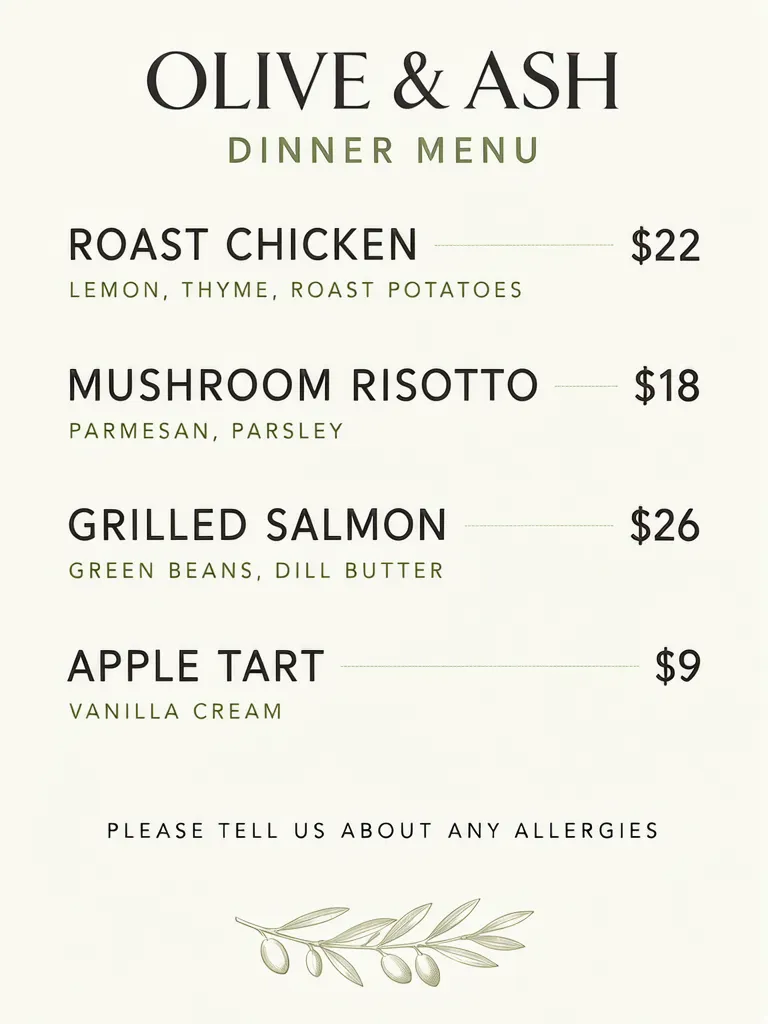
An AI menu generator can turn an approved dish list into a short dine-in menu by placing each dish name, description and price in a consistent order. We made a four-dish dinner menu with descriptions beneath the names and a six-line daily card with prices beside each dish. The restaurant, dishes and prices are invented examples. Treat the result as a layout draft: check every line and confirm every price belongs to the intended dish.
TL;DR
- Finalize the dish names, descriptions and prices before generating.
- Keep one dish and its price together in a row or clearly grouped box.
- Review all copy line by line; a longer list gives more opportunities for a mismatch.
- Use a table or document when the menu has more than a handful of sessions or items to manage.
How should you prepare a dish list for an AI menu generator?
Write one item per block: dish name, optional description, then price. Keep ingredients or serving notes short and approved. Our dinner example has four dishes, each with a description directly below its name and a price level with the name. This makes the association easy to inspect before thinking about decoration.
Make one like this Open this image on MOSS Image
Made in the Layout Builder with these boxes:
| Box text | Purpose | Approximate position |
|---|---|---|
| OLIVE & ASH | Restaurant name | Top |
| DINNER MENU | Menu heading | Upper area |
| ROAST CHICKEN | Dish 1 name | First row, left |
| LEMON, THYME, ROAST POTATOES | Dish 1 description | Under dish 1 |
| $22 | Dish 1 price | First row, right |
| MUSHROOM RISOTTO | Dish 2 name | Second row, left |
| PARMESAN, PARSLEY | Dish 2 description | Under dish 2 |
| $18 | Dish 2 price | Second row, right |
| GRILLED SALMON | Dish 3 name | Third row, left |
| GREEN BEANS, DILL BUTTER | Dish 3 description | Under dish 3 |
| $26 | Dish 3 price | Third row, right |
| APPLE TART | Dish 4 name | Fourth row, left |
| VANILLA CREAM | Dish 4 description | Under dish 4 |
| $9 | Dish 4 price | Fourth row, right |
| PLEASE TELL US ABOUT ANY ALLERGIES | Guest note | Bottom |
| (olive branch) | Decoration | Bottom |
All 15 required text lines came out right on the first try. The four descriptions sit beneath their dish names, prices align on the right, and dotted leaders connect the rows visually. The olive branch is an added illustration and does not change the menu information. For your own menu, keep allergy or dietary language accurate and review it against the restaurant's actual information.
When is a written prompt enough?
A written prompt can work for a compact menu when each row is short and the hierarchy is simple. Our daily card contains three dish-price rows, with dish names on the left and prices on the right.
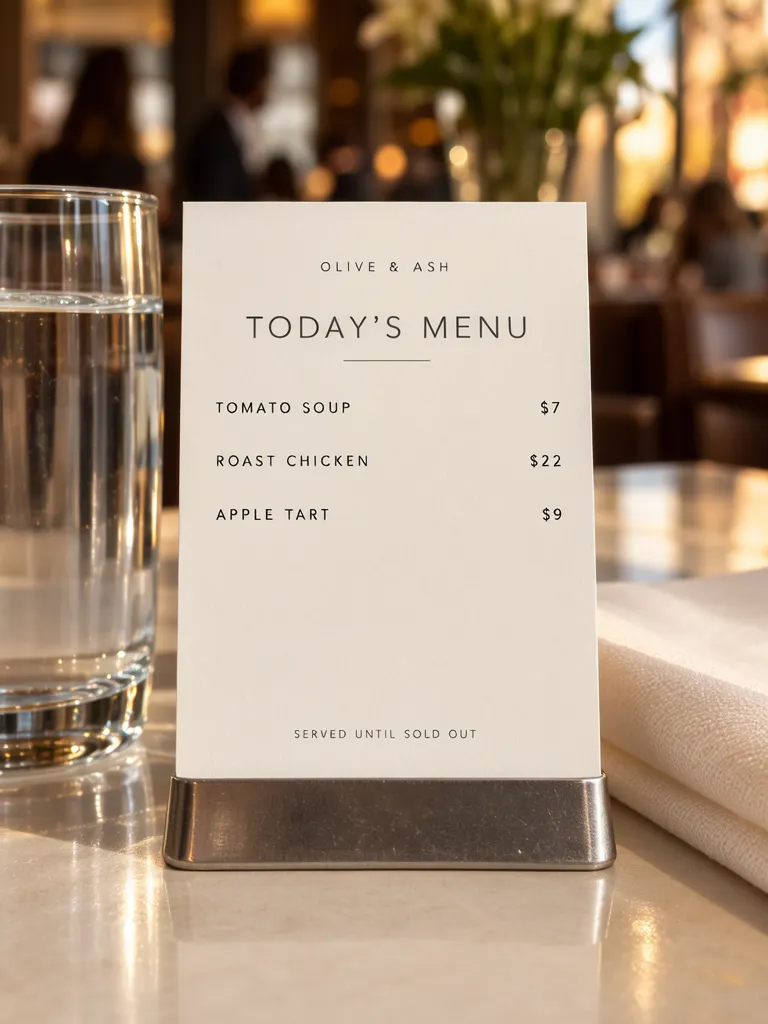
Make one like this Open this image on MOSS Image
Made in prompt mode with this exact prompt:
Photograph of a small printed daily menu card in a plain metal holder on a restaurant table, a glass of water and folded napkin beside it, warm evening light, the room softly blurred, the card flat and in sharp focus. Warm white card, charcoal type, dish names on the left and prices on the right. The napkin and glass carry no writing. The printed piece holds only the quoted text, and nothing else in view carries any writing: no other signs, labels, stickers or notes. Text, render exactly and add nothing else: small top line 'OLIVE & ASH'; title 'TODAY'S MENU'; row 'TOMATO SOUP $7'; row 'ROAST CHICKEN $22'; row 'APPLE TART $9'; footer 'SERVED UNTIL SOLD OUT'.
All six lines came out right on the first try. The model kept each dish on the left and its price on the right. The card is compact, so its usefulness depends on the type remaining readable when set on the actual table. Check it at the distance and lighting diners will encounter, not only enlarged on a monitor.
How do you keep a price attached to its dish?
Use a consistent row pattern and check the pair, not just the spelling. For each line, read the dish name, then trace across to its price. If a name wraps, make sure the price still reads with that item rather than the next row. The Layout Builder can give each name, description and price a defined area; a written prompt can state “dish names on the left and prices on the right,” but the generated association still needs review.
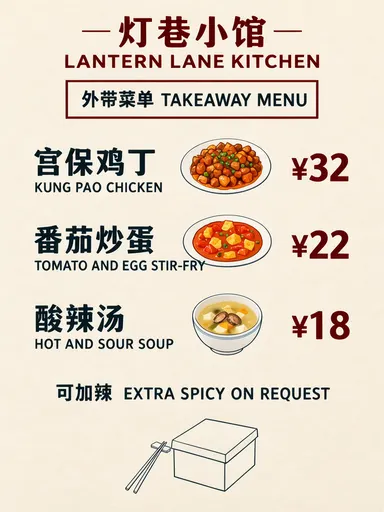
This is different from a food-truck combo menu, where a single total price covers a bundle, and from a bilingual takeaway menu, where each Chinese name is paired with its English name. A dine-in list should identify each individual dish and its own price.
| Menu format | What each line represents | Main check |
|---|---|---|
| Dine-in dish list | One dish, optional description, one price | Name-description-price association |
| Combo menu | Several included items, one total | Contents and total price |
| Bilingual takeaway | One dish name in two languages | Language pair and price |
What must you proofread before using the menu?
Check every item, not just the heading or the first row. All 15 lines on our dinner menu were correct, and all six on the compact card were correct, but a longer list raises the chance that an error will appear somewhere. Compare names, ingredient descriptions, punctuation, currency symbols and prices with the approved source list. Then check visual association and legibility at the menu's intended size.
The dinner card includes “PLEASE TELL US ABOUT ANY ALLERGIES.” Keep any similar note aligned with the restaurant's real procedure, and do not let decorative elements make it look like an item or price. A table or document is easier to maintain than a poster when you have more than a handful of items, variants or frequent changes.
How can you make your own short restaurant menu?
- Approve the exact names, short descriptions and prices. Put each item in its own row in a source list before generating.
- For a structured dinner menu, open the Layout Builder and make a name, description and price area for each dish. We used a 3:4 canvas.
- For a small daily card, use the AI poster generator at 3:4 and quote each complete row. Keep the scene description separate from the exact menu copy; see the exact-text guide.
- Match each generated price to its dish, compare every character with the approved list, and check readability at table size.
MOSS Image Studio is an independent hosted studio for the open MOSS-Image model. Not affiliated with OpenMOSS.
FAQ
Can an AI menu generator get dish names right?
It can produce correct text, as both examples did, but proofread every name against the approved list before using the menu.
How should prices be arranged on a restaurant menu?
Use one row or clearly grouped area per dish, with the price aligned consistently. Confirm the price remains visually attached if a name wraps.
Is an AI-generated menu ready to print?
Treat it as a draft. Check the copy, price associations, and legibility at the intended display or print size first.
Try it with your own words
Open the Studio, write a brief or lay out boxes on the canvas, and generate with MOSS-Image.