Original Quote Card Generator: Make a Motivational Desk Card
Use an original quote card generator workflow to turn a self-written sentence into a desk or social card, with layout, style and proofreading steps.
An original quote card turns a sentence you wrote yourself into a small visual reminder for a desk or social post. We made two square examples: one with a short English line and one with an original Chinese reflection. Both sets of words were correct on the first try. Using your own words avoids misattribution and lets you say exactly what you mean.
TL;DR
- Write one thought in your own voice, then trim it until it works in a few lines.
- Give the main sentence more space and visual weight than a date or note beneath it.
- Check every line after generation, including punctuation and line breaks.
- Treat the result as a designed image; copy the wording separately if it must remain editable.
What makes a useful original quote card?
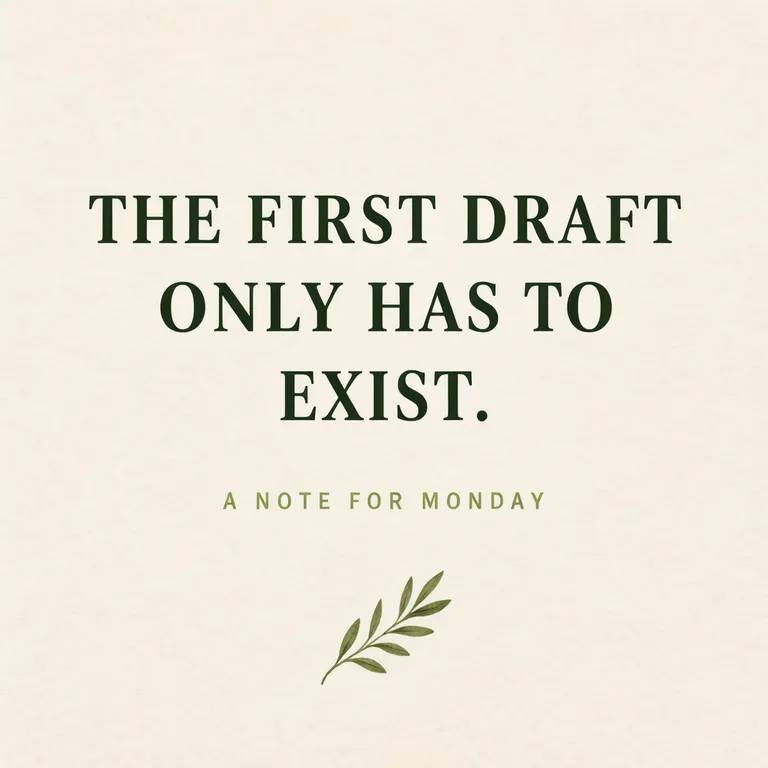
A useful card carries one complete thought that can be read at a glance. For our English example, the line is “THE FIRST DRAFT ONLY HAS TO EXIST.” A smaller note says “A NOTE FOR MONDAY.” The sentence encourages starting without promising a result. Because the wording is ours, it does not need a famous person's name or an attribution that could be wrong.
The sentences and the card details in these examples are made up.
Make one like this Open this image on MOSS Image
Made in the Layout Builder with these boxes:
| Box text | Purpose | Rough position |
|---|---|---|
| THE FIRST DRAFT ONLY HAS TO EXIST. | Main sentence, large dark green serif | Centre, over three lines |
| A NOTE FOR MONDAY | Small supporting line | Below the sentence |
| Olive sprig | Simple decoration without lettering | Lower area |
Both lines came out correctly on the first try. The main sentence breaks into three lines, so the message remains the visual centre rather than becoming a long paragraph.
How can a reflective sentence sit on a quieter image?
Keep the background calm and give the sentence enough contrast. Our Chinese example places a short original line over a soft watercolor wash of morning light through a window. It reads “慢一点也没关系,你一直在往前走。” (“It is all right to go slowly; you are still moving forward.”) The smaller line beneath it reads “写给忙碌的一周” (“For a busy week”).
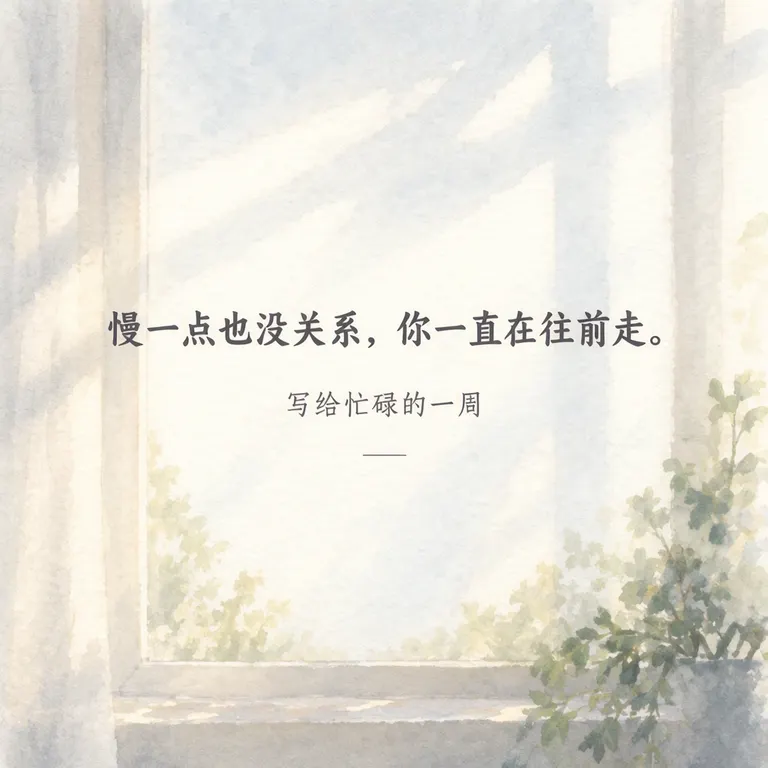
Make one like this Open this image on MOSS Image
Made in prompt mode with this exact prompt:
Square quote card, soft watercolour wash of morning light through a window across textured paper, the sentence in calm dark grey Chinese brush-style type in the middle, a small line underneath. The poster holds only the quoted text: no logo, no signature and no other words. Text, render exactly and add nothing else: quote '慢一点也没关系,你一直在往前走。'; small line '写给忙碌的一周'.
Both Chinese lines came out correctly on the first try, with no extra wording. The requested brush-style type instead appeared as a plain regular face. That is a useful distinction when you choose a style: exact text and visual treatment are separate things to inspect. If the typography is central to the card, make a second version with a more concrete description of the letterforms, then compare the actual output.
Should the card include a famous quotation?
A card does not need one. A self-written sentence avoids misattribution and gives you control over the precise point, tone and length. Start with what you would tell a friend, then remove setup that the image cannot support. “Take the next small step” is easier to place than a paragraph explaining why the step matters.
| Card element | Example wording | Check |
|---|---|---|
| Main thought | THE FIRST DRAFT ONLY HAS TO EXIST. | Read it once at thumbnail size |
| Supporting note | A NOTE FOR MONDAY | Keep secondary to the thought |
| Quiet visual | A small sprig or window light | Make sure it does not compete with the words |
When your sentence includes a name, date or personal detail, confirm it before sharing. For a card that will be printed, also check that the smallest line is comfortable to read at the printed size. Keep a plain text copy of the final wording so you can reuse it in a caption or revise it later.
What should you proofread?
Both images rendered their requested lines correctly on the first try. The Chinese card did not use the requested brush-style type, so check both the wording and the visual style before sharing. Zoom in on punctuation and confirm the smaller line remains readable at the size people will see it.
How do you make your own original quote card?
- Write one short sentence from your own experience. Choose whether the tone is direct, gentle or playful, and keep the message to one thought.
- For separated text and decoration, use the Layout Builder with a large main-text box and a smaller note box. A square canvas worked for both of our examples.
- For a textured scene, use the AI poster generator and quote the sentence and optional small line exactly, as in the Chinese example.
- Inspect every character, punctuation mark and line break. Compare the type style with the result you wanted, and shorten or reflow the sentence if the design feels crowded. The exact-text guide covers practical ways to keep wording clear.
MOSS Image Studio is an independent hosted studio for the open MOSS-Image model. Not affiliated with OpenMOSS.
FAQ
How long should a quote card sentence be?
Use the shortest version that keeps the meaning. One complete sentence is a good starting point; a brief second line can add context without competing with it.
Can I use my own motivational quote?
Yes. Your own wording lets you express the thought in your own voice and avoids attaching it to the wrong person.
Why did the type style differ from my prompt?
The generated image may interpret a style request loosely. Check the letterforms in the result and describe the style more concretely if you make another version.
Should I put the attribution on the card?
If the words are yours, you can identify them as your own or leave the card unattributed. Keep an attribution only when you have confirmed who said the words.
Try it with your own words
Open the Studio, write a brief or lay out boxes on the canvas, and generate with MOSS-Image.